05. Vue3集成Vue-Router实现路由跳转
什么是路由
客户端路由的作用是在单页应用 (SPA) 中将浏览器的 URL 和用户看到的内容绑定起来。当用户在应用中浏览不同页面时,URL 会随之更新,但页面不需要从服务器重新加载。
Vue Router 基于 Vue 的组件系统构建,你可以通过配置路由来告诉 Vue Router 为每个 URL 路径显示哪些组件。
如何定义一个新的路由
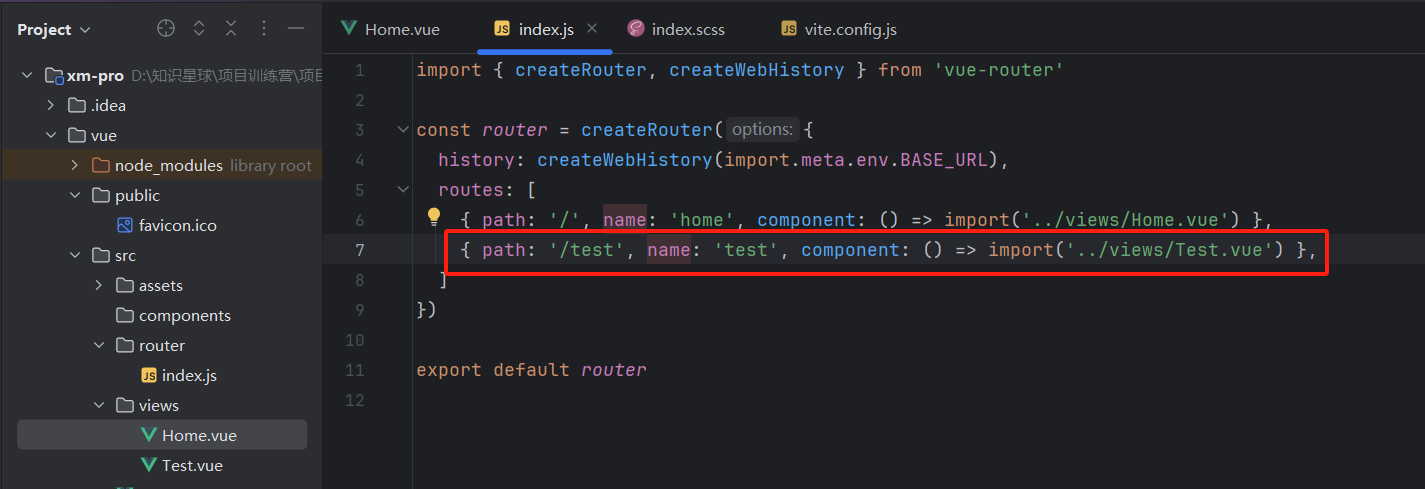
{ path: '/test', name: 'test', component: () => import('../views/Test.vue') },
注意:name 不能重复
路由跳转
router-link
编程式的路由,要导入 router 对象
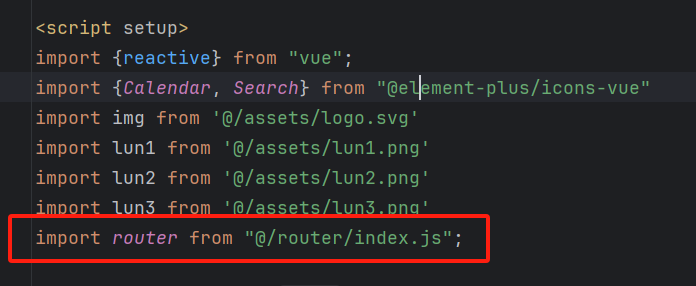
- push router.push('/test') 跳转后可以返回
- replace router.replace('/test') 跳转后无法返回
默认路由

路由传参

我们使用的都是 query 类型的参数
传参:router.push('/test?id=1')
获取参数:通过 router.currentRoute.value.query 获取到 query 对象 { id: 1 }
多个参数传递:router.push('/test?id=2&name=青哥哥')
id: router.currentRoute.value.query.id,
name: router.currentRoute.value.query.name,
另外一种传递参数的方法:router.push({ path: '/test', query: { id: 2, name: '青哥哥' } })
嵌套路由
在父级的页面通过
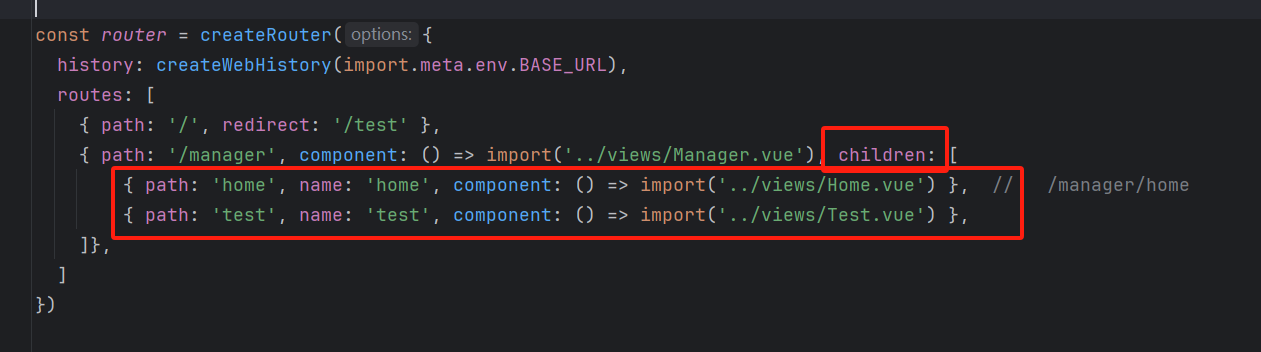
在嵌套路由里面 子路由不用写前面的 / ,会自动添加
路由守卫
meta:补充路由参数的对象
在路由配置文件中使用导航守卫, 修改网页标题
// from:将要进行跳转的当前route对象 (跳转前的一些操作)
// to: 跳转后route对象 (跳转后的一些操作)
// next(): 调用该方法后, 才能进入下一个钩子
router.beforeEach((to, from, next) => {
  document.title = to.meta.title;
  next()
})
404 页面

定义 404 页面
<template>
  <div style="text-align: center">
    <img src="@/assets/404.png" alt="">
    <div><el-button type="primary" style="width: 150px; height: 60px; font-size: 20px" @click="goHome">返回主页</el-button></div>
  </div>
</template>

<script setup>

const goHome = () => {
  location.href = '/manager/home'
}

</script>
定义 404 路由
{ path: '/404', name: 'NotFound', meta: { title: '404找不到页面' }, component: () => import('../views/404.vue') },
路由输入错误的时候,统一到达 404 页面
{ path: '/:pathMatch(.*)', redirect: '/404' }