08. 从0带你搭建SpringBoot3工程
基础必备知识: JavaSE
编程软件
IDEA2023 以上的版本、Maven、JDK21
创建 SpringBoot 工程
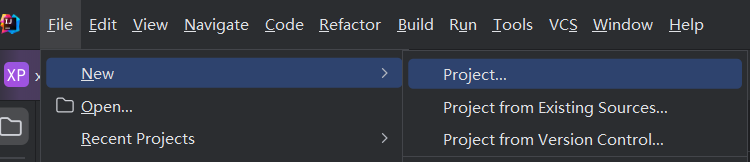
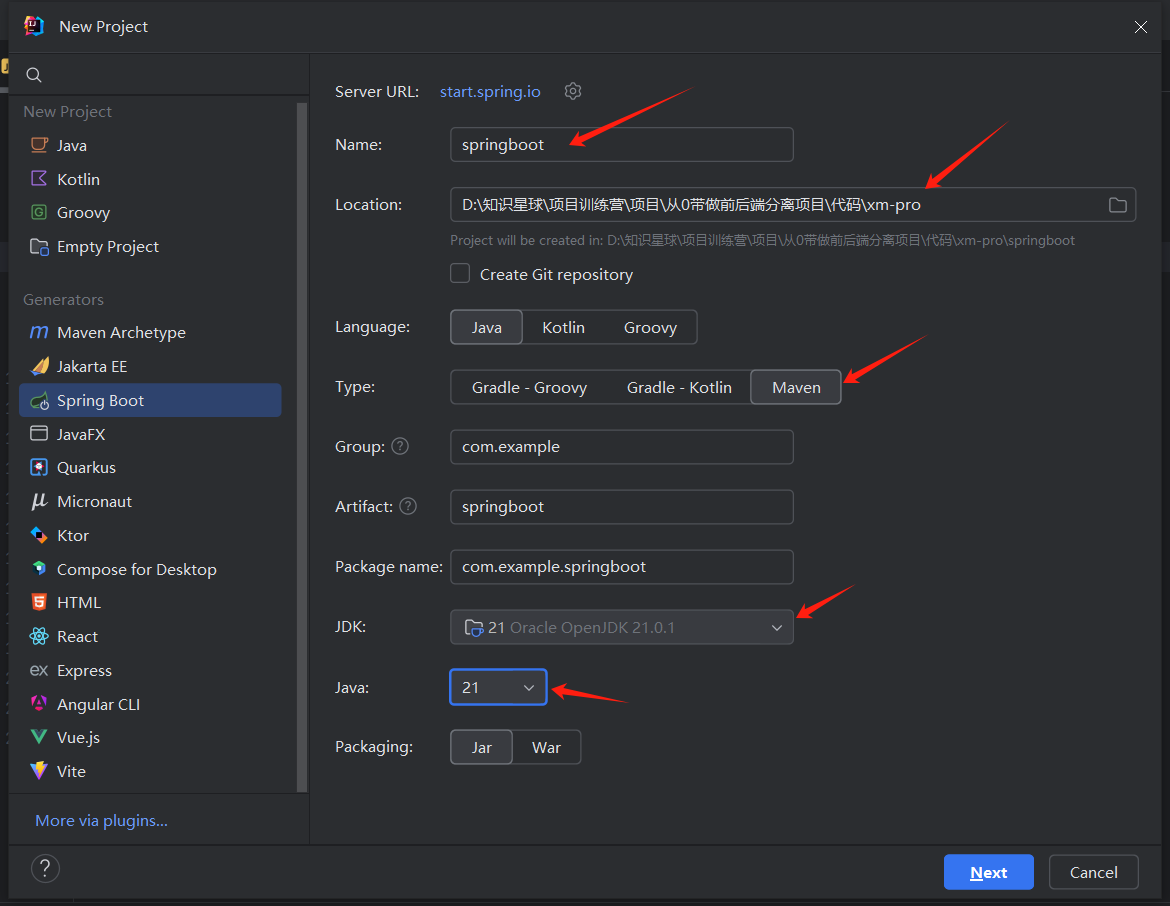
新建 SpringBoot3 工程
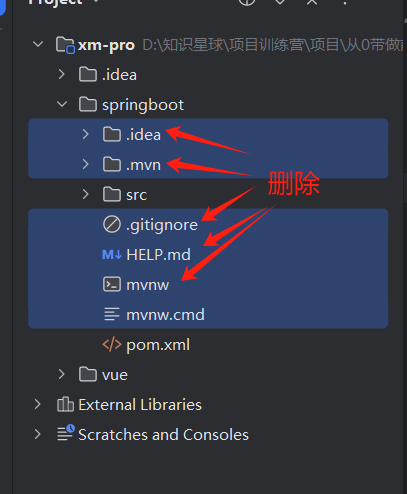
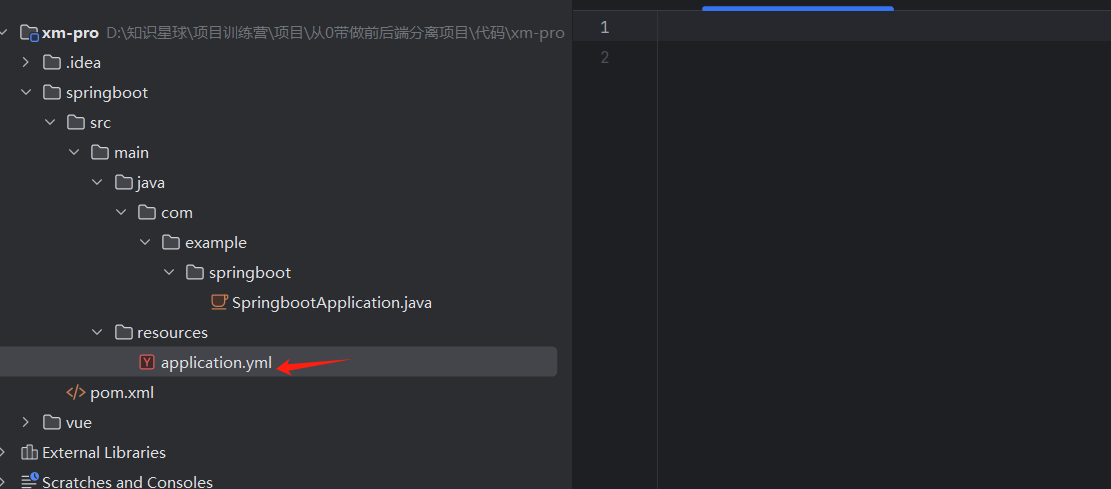
application.properties -> application.yml
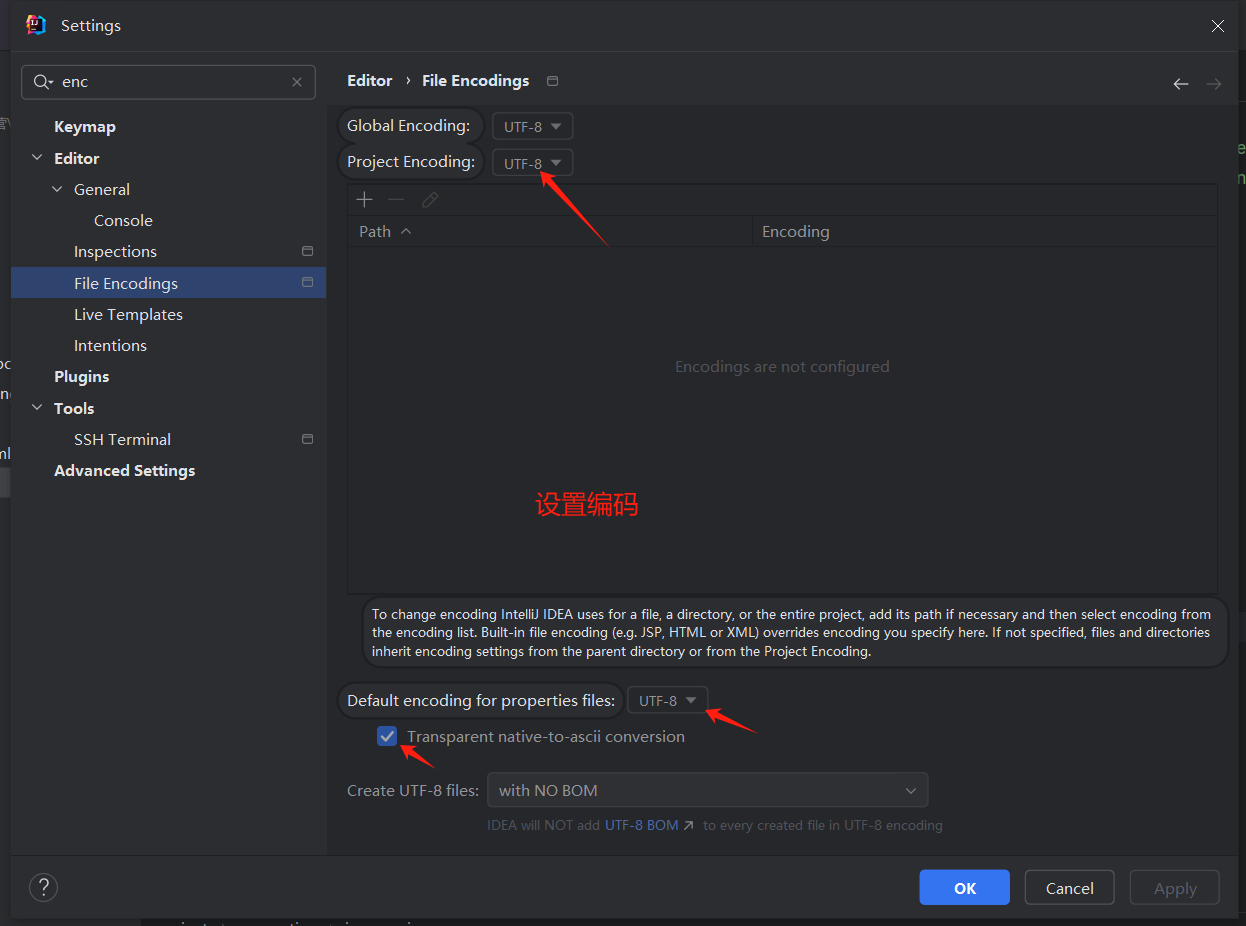
设置编码
配置 maven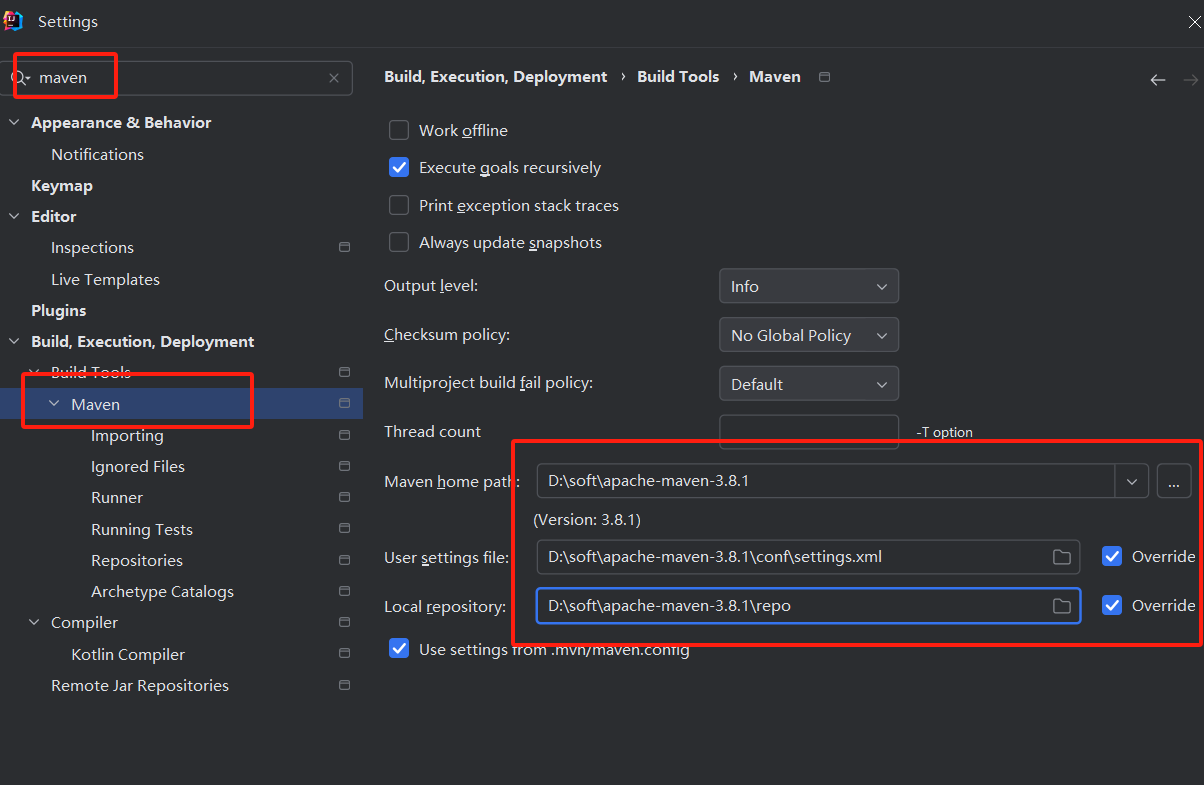
加载 maven 依赖
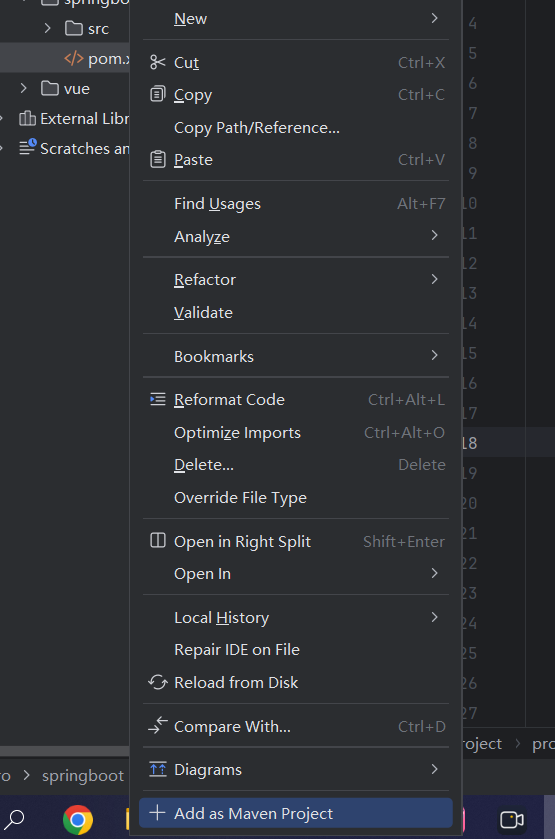
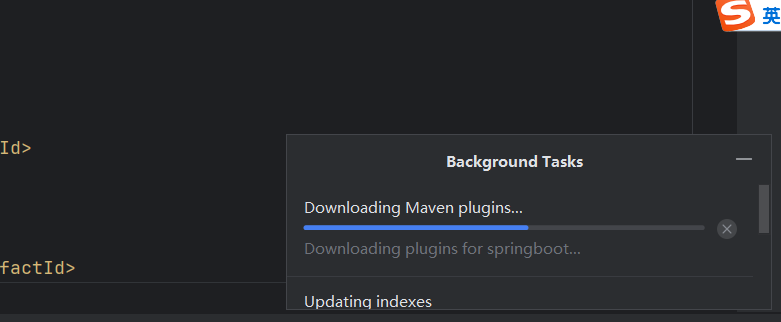
右下角会下载 maven 的依赖
启动 Springboot 工程
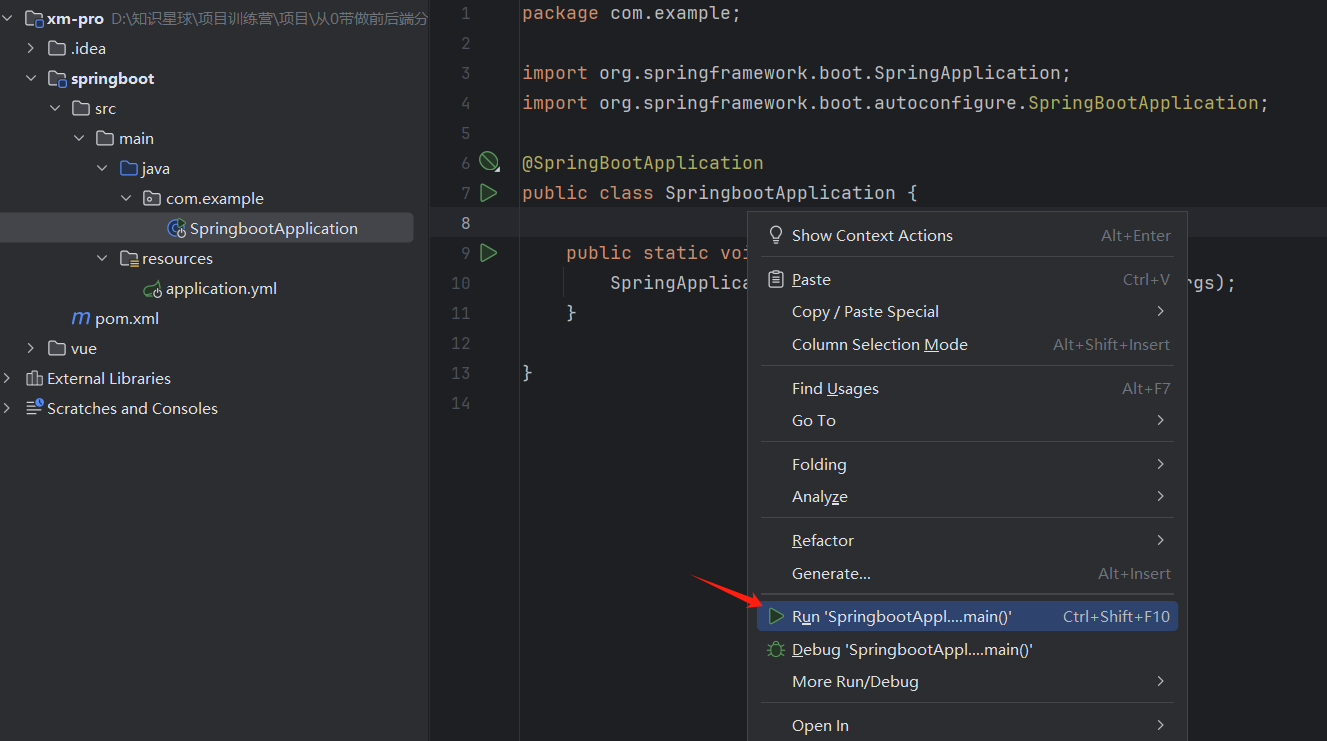
启动时会打印一些参数
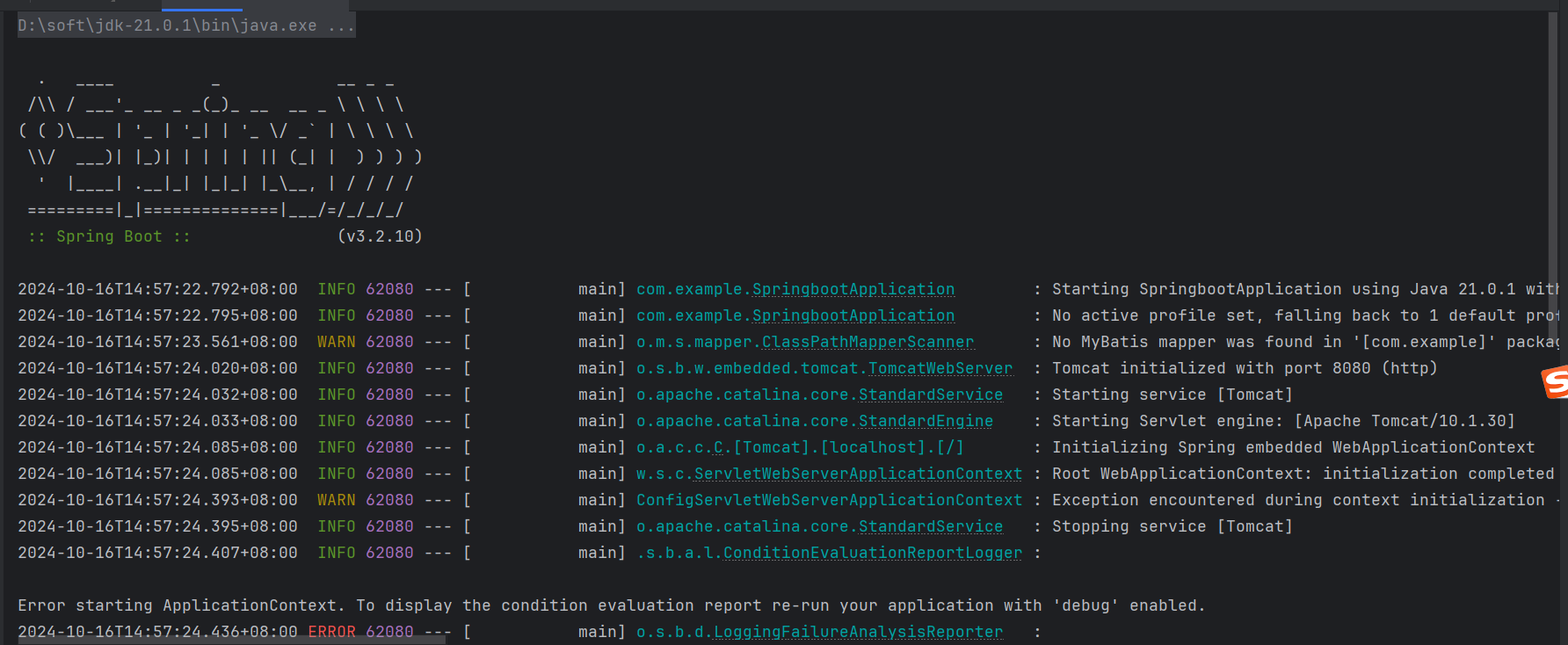
没配置数据库
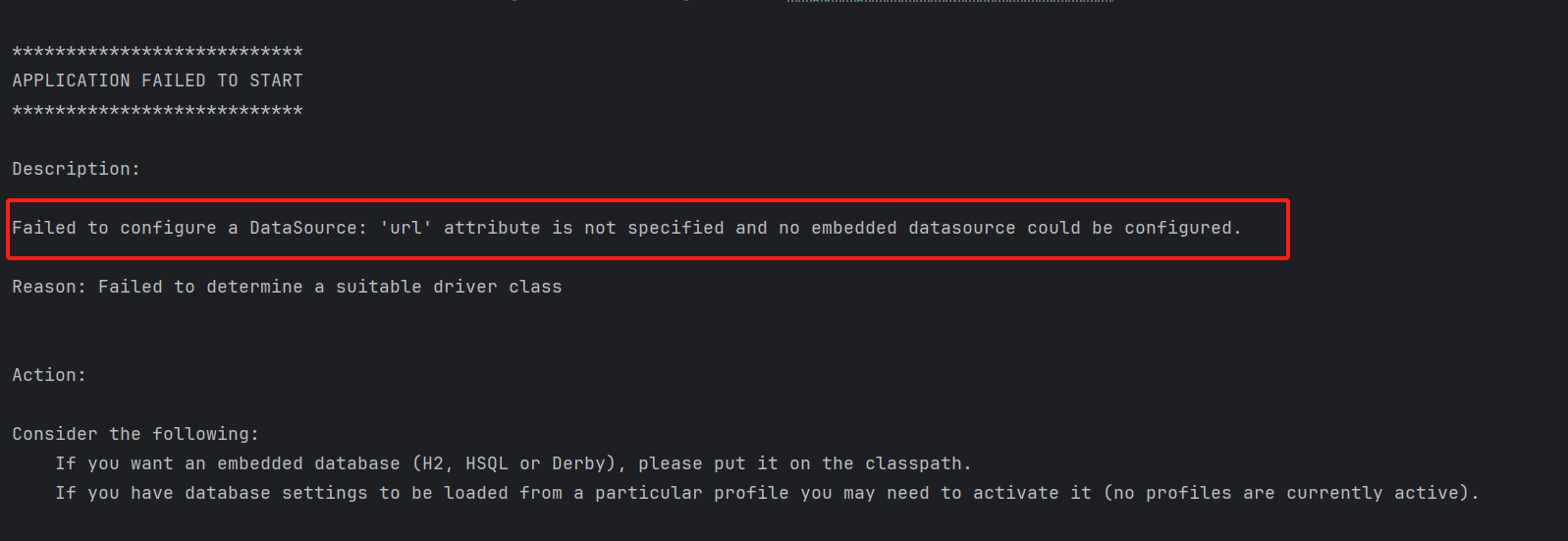
配置 SpringBoot 工程
server:
  port: 9090

# 数据库配置
spring:
  datasource:
    driver-class-name: com.mysql.cj.jdbc.Driver
    username: root
    password: 123456
    url: jdbc:mysql://localhost:3306/xm-pro?useUnicode=true&characterEncoding=utf-8&allowMultiQueries=true&useSSL=false&serverTimezone=GMT%2b8&allowPublicKeyRetrieval=true
注意:数据库密码如果以 0 开头,那你必须加单引号,否则会自动去除 0
写一个测试接口 say: hello
import org.springframework.web.bind.annotation.GetMapping;
import org.springframework.web.bind.annotation.RestController;

@RestController
public class WebController {

    @GetMapping("/hello")
    public String hello() {
        return "Hello 青哥哥";
    }

}
统一返回包装类 Result
包装类:作用是统一后端返回的数据类型
package com.example.common;

/**
 * 统一返回的包装类
 */
public class Result {
    private String code;
    private String msg;
    private Object data;

    public static Result success() {
        Result result = new Result();
        result.setCode("200");
        result.setMsg("请求成功");
        return result;
    }

    public static Result success(Object data) {
        Result result = success();
        result.setData(data);
        return result;
    }

    public static Result error() {
        Result result = new Result();
        result.setCode("500");
        result.setMsg("系统错误");
        return result;
    }

    public static Result error(String code, String msg) {
        Result result = new Result();
        result.setCode(code);
        result.setMsg(msg);
        return result;
    }

    public String getCode() {
        return code;
    }

    public void setCode(String code) {
        this.code = code;
    }

    public String getMsg() {
        return msg;
    }

    public void setMsg(String msg) {
        this.msg = msg;
    }

    public Object getData() {
        return data;
    }

    public void setData(Object data) {
        this.data = data;
    }
}
全局异常处理
GlobalExceptionHandler
import com.example.common.Result;
import org.springframework.web.bind.annotation.ControllerAdvice;
import org.springframework.web.bind.annotation.ExceptionHandler;
import org.springframework.web.bind.annotation.ResponseBody;

@ControllerAdvice("com.example.controller")
public class GlobalExceptionHandler {

    @ExceptionHandler(Exception.class)
    @ResponseBody // 返回json串
    public Result error(Exception e) {
        return Result.error();
    }
}
分析控制台错误是你的家常便饭
分析控制台错误是你的家常便饭
分析控制台错误是你的家常便饭
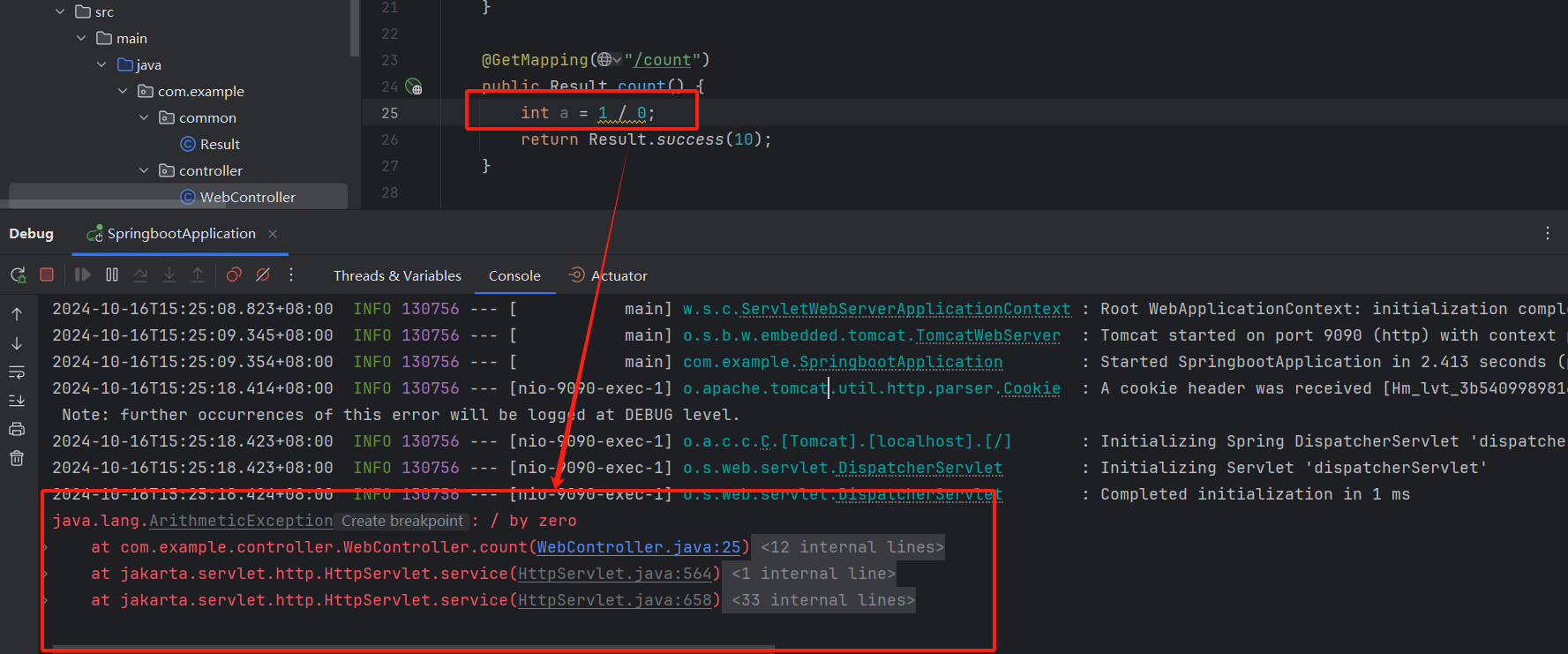
写代码 过程就是你不断改正错误 改成 BUG 的过程
自定义异常
CustomException
public class CustomException extends RuntimeException{
    private String code;
    private String msg;

    public CustomException(String code, String msg) {
        this.code = code;
        this.msg = msg;
    }

    public String getCode() {
        return code;
    }

    public void setCode(String code) {
        this.code = code;
    }

    public String getMsg() {
        return msg;
    }

    public void setMsg(String msg) {
        this.msg = msg;
    }
}
WebController
package com.example.controller;

import com.example.common.Result;
import com.example.exception.CustomException;
import org.springframework.web.bind.annotation.GetMapping;
import org.springframework.web.bind.annotation.RestController;

import java.util.HashMap;
import java.util.Map;

@RestController
public class WebController {

    @GetMapping("/hello")
    public String hello() {
        return "Hello 青哥哥";
    }

    @GetMapping("/weather")
    public Result weather() {
        return Result.success("今天天气:晴 23摄氏度");
    }

    @GetMapping("/count")
    public Result count() {
        throw new CustomException("400", "错误!禁止请求");
//        throw new RuntimeException("错误!禁止请求");
    }

    @GetMapping("/map")
    public Result map() {
        HashMap<String, Object> map = new HashMap<>();
        map.put("name", "青哥哥");
        map.put("age", 32);
        return Result.success(map);
    }
}
学习的真谛
坚持!再坚持!
用正确的方法 跟正确的老师学习