09. SpringBoot3集成Mybatis
Mybatis 官网
https://mybatis.org/mybatis-3/zh_CN/index.html
MyBatis 是一款优秀的持久层框架,它支持自定义 SQL,MyBatis 可以通过简单的 XML 或注解来配置和映射原始类型、接口和 Java 对象为数据库中的记录。
Mybatis 依赖
<dependency>
  <groupId>org.mybatis.spring.boot</groupId>
  <artifactId>mybatis-spring-boot-starter</artifactId>
  <version>3.0.3</version>
</dependency>
Java 表示属性一般使用驼峰的形式:departmentId
数据库里面表示字段一般使用下划线的形式:department_id
Springboot 配置 Mybatis
# 配置mybatis实体和xml映射
mybatis:
  ## 映射xml
  mapper-locations: classpath:mapper/*.xml
  configuration:
    # 配置日志
    log-impl: org.apache.ibatis.logging.stdout.StdOutImpl
    map-underscore-to-camel-case: true
基本的 xml 格式
<?xml version="1.0" encoding="UTF-8"?>
<!DOCTYPE mapper
        PUBLIC "-//mybatis.org//DTD Mapper 3.0//EN"
        "http://mybatis.org/dtd/mybatis-3-mapper.dtd">
<mapper namespace="">

</mapper>
xml 是跟 mapper 接口一一对应的
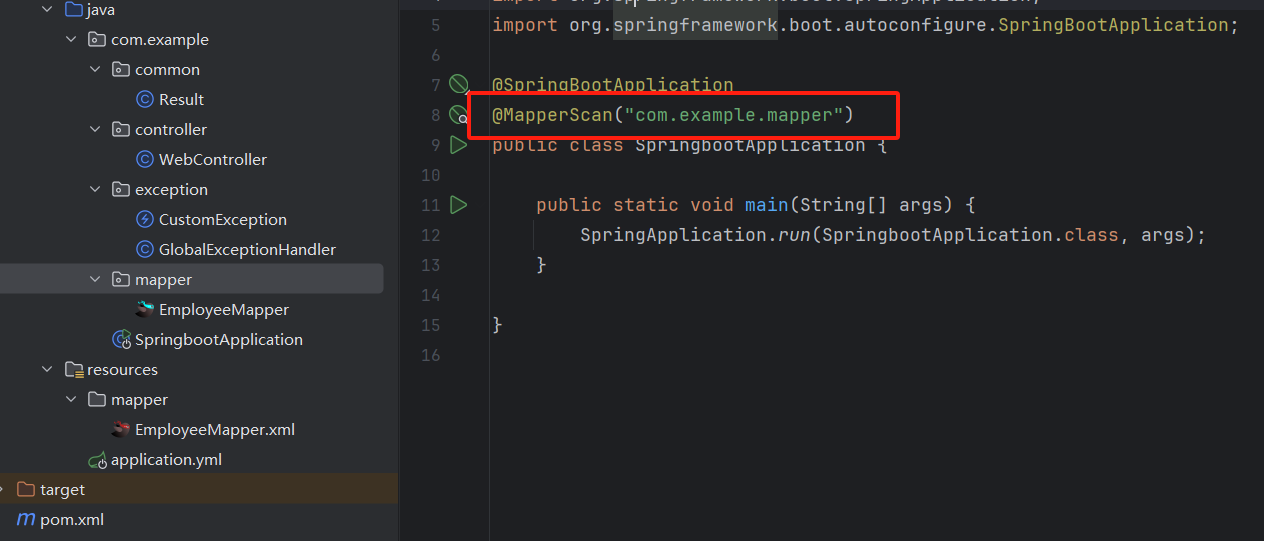
告诉 Springboot 如何扫描 mapper 包
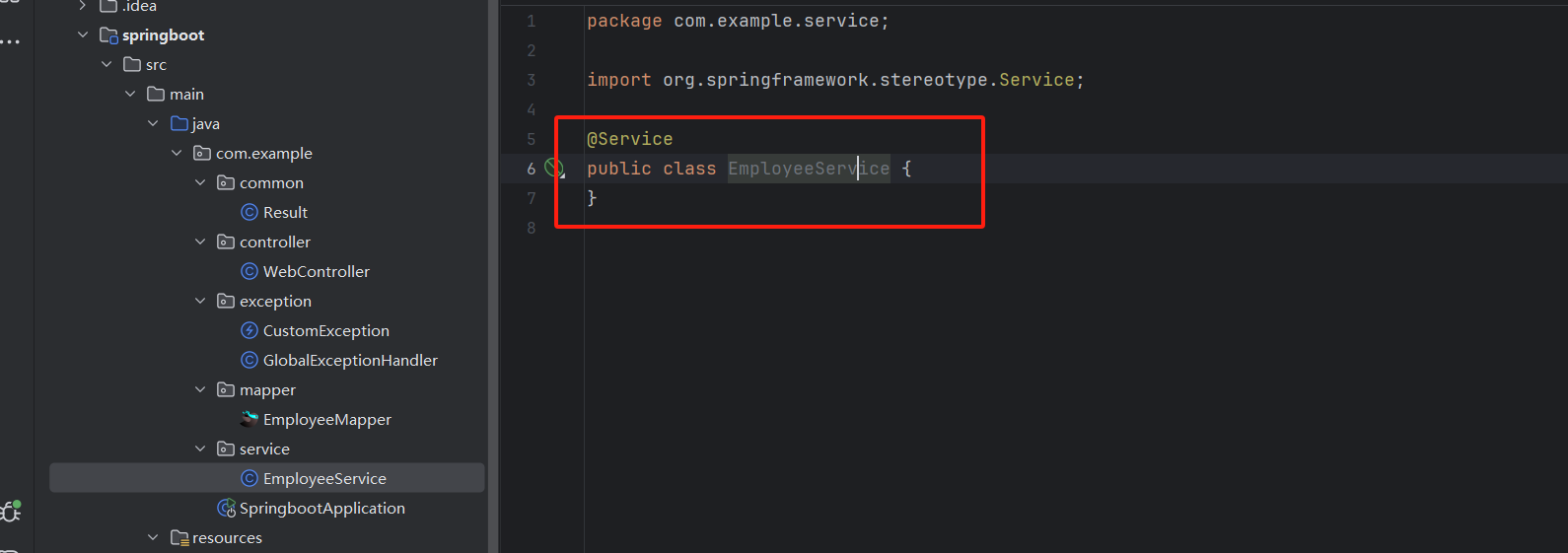
创建 Service 并且标注为 Springboot 里面的一个 bean
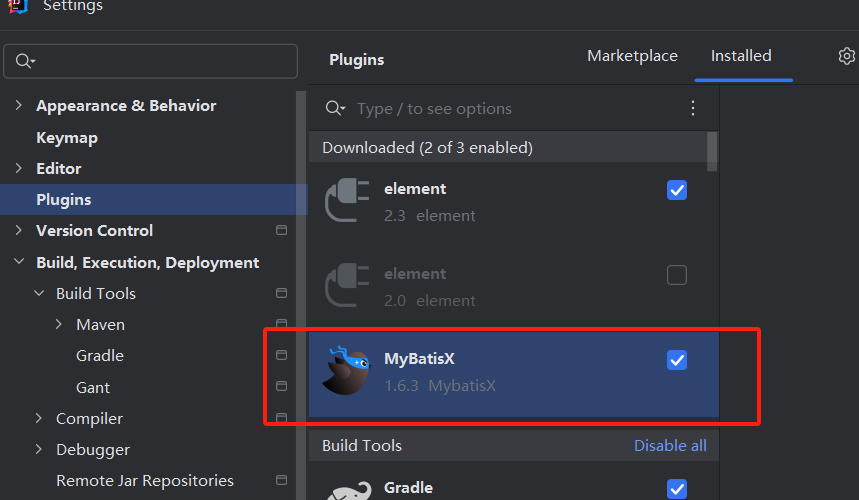
下载插件 MybatisX
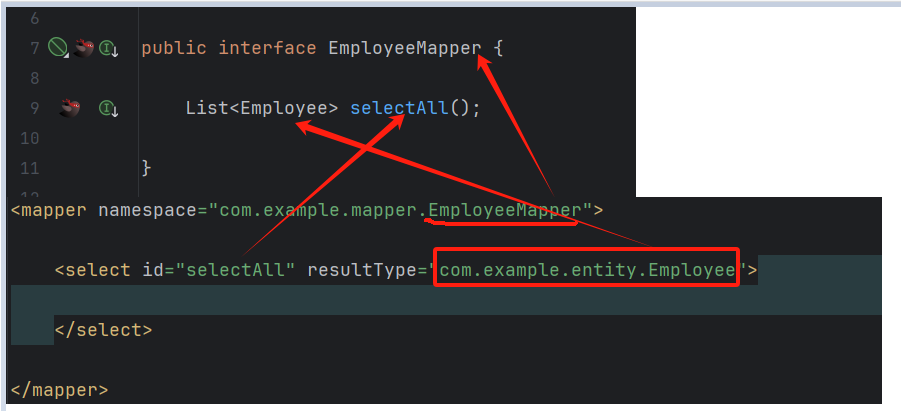
Mapper 和 Mapper.xml 的对应关系
接口路径表示
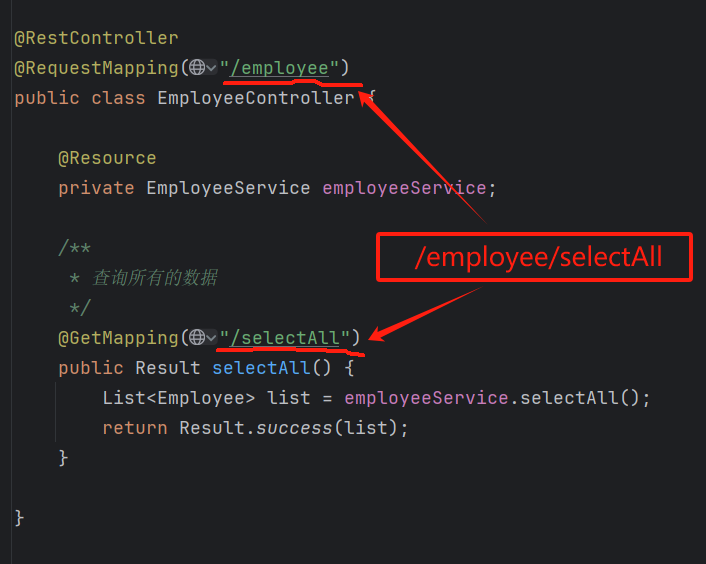
完整的接口请求路径:

http://{ip}:{port}/{path}
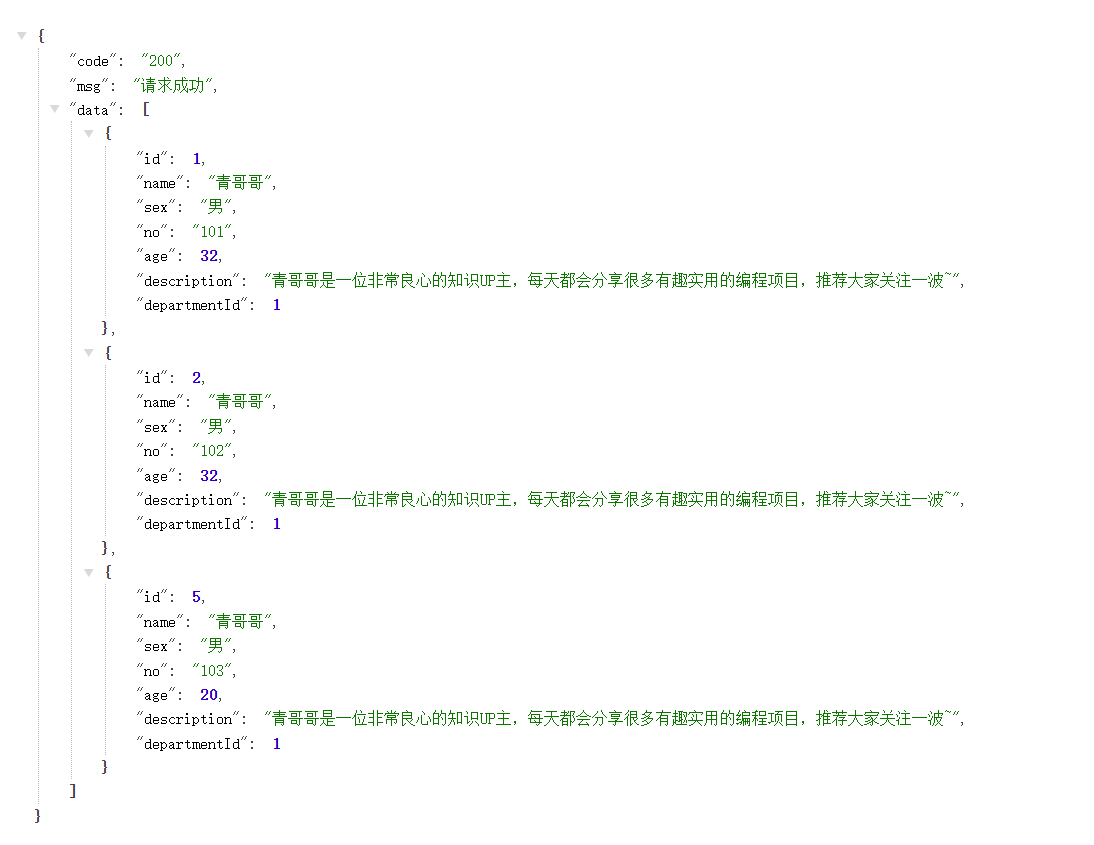
推荐浏览器安装 jsonView 插件
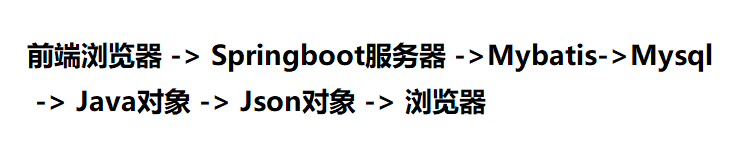
数据请求流程:
注解语法
@Select("select * from employee where id = #{id}")
Employee selectById(Integer id);
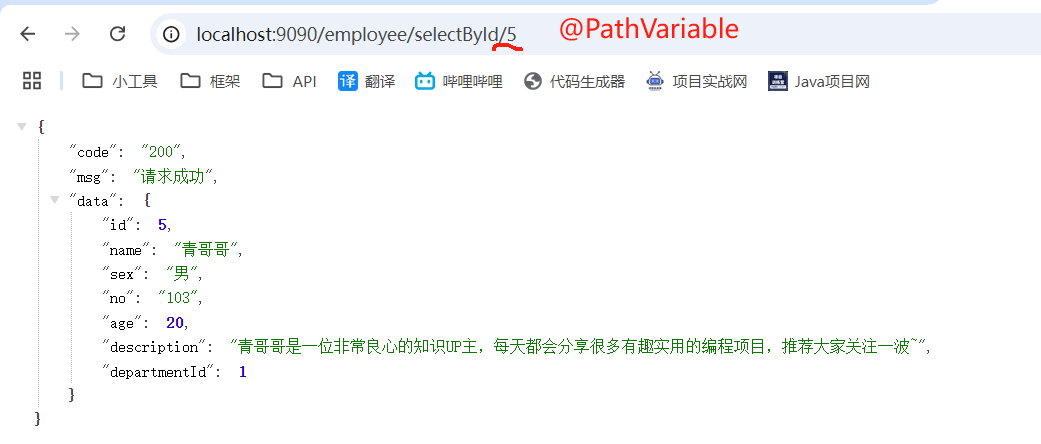
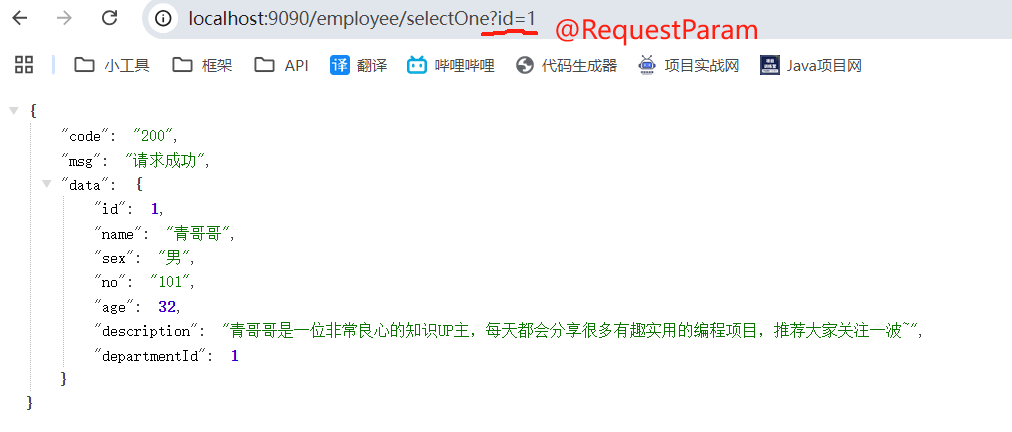
接口传参的方式
@PathVariable
@RequestParam
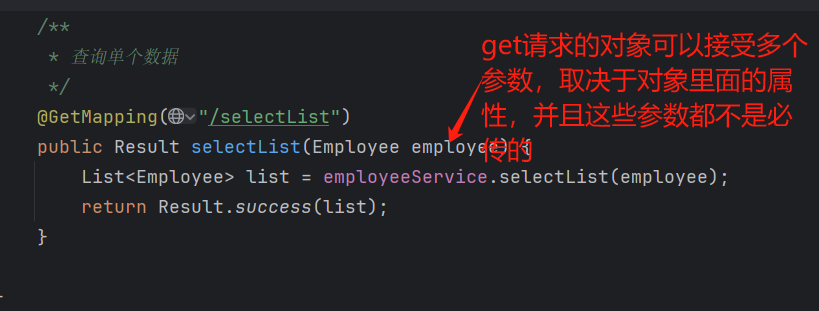
传递多个参数


对象参数
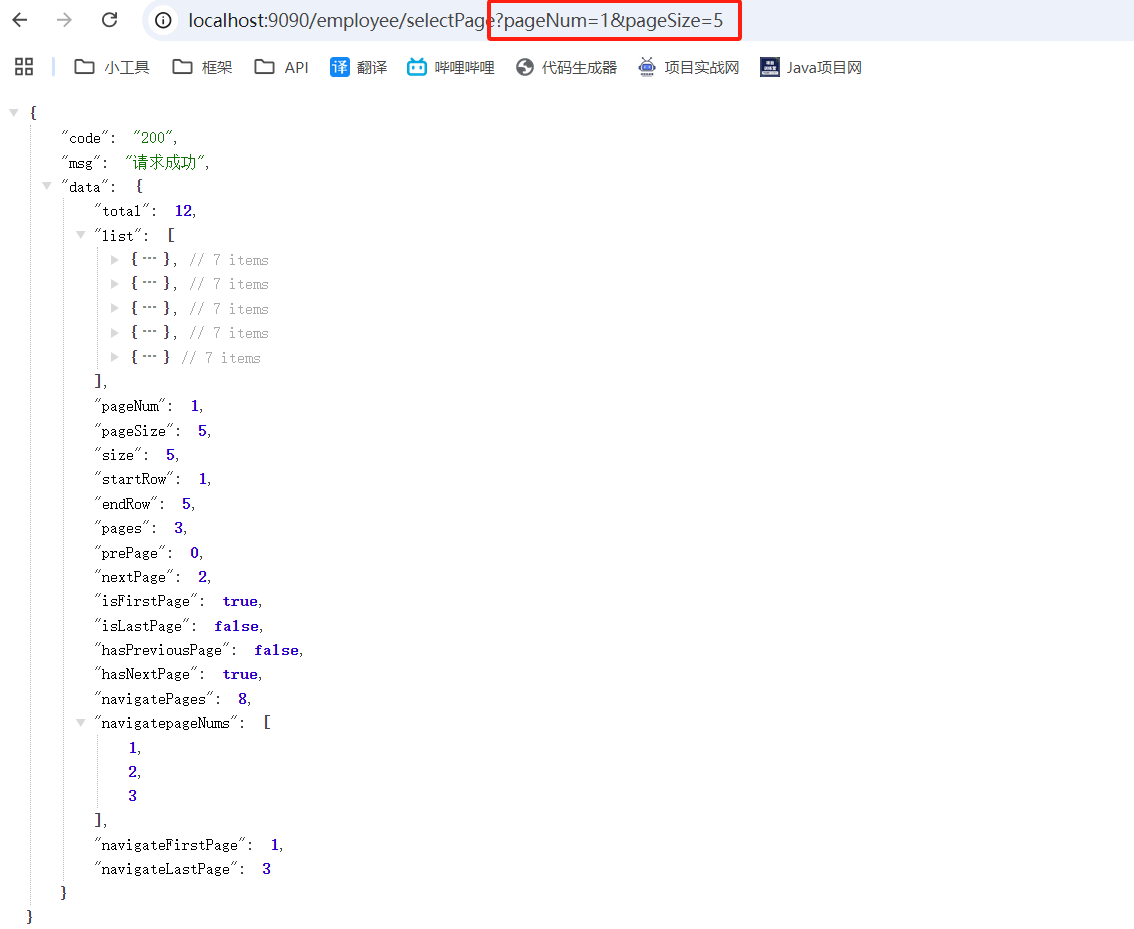
分页查询
引入 pagehelper 这个插件
<!-- 分页插件pagehelper -->
<dependency>
    <groupId>com.github.pagehelper</groupId>
    <artifactId>pagehelper-spring-boot-starter</artifactId>
    <version>1.4.6</version>
    <exclusions>
        <exclusion>
            <groupId>org.mybatis</groupId>
            <artifactId>mybatis</artifactId>
        </exclusion>
    </exclusions>
</dependency>
在 Service 里面通过三行代码实现了分页查询
public PageInfo<Employee> selectPage(Integer pageNum, Integer pageSize) {
    PageHelper.startPage(pageNum, pageSize);
    List<Employee> list = employeeMapper.selectAll();
    return PageInfo.of(list);
}
分页接口
/**
 * 分页查询的数据
 * pageNum: 当前页码
 * pageSize: 每页的个数
 */
@GetMapping("/selectPage")
public Result selectPage(@RequestParam(defaultValue = "1") Integer pageNum,
                         @RequestParam(defaultValue = "10") Integer pageSize) {
    PageInfo<Employee> pageInfo = employeeService.selectPage(pageNum, pageSize);
    return Result.success(pageInfo);
}
使用 Mybatis 实现数据库的增删改
get: 查询操作
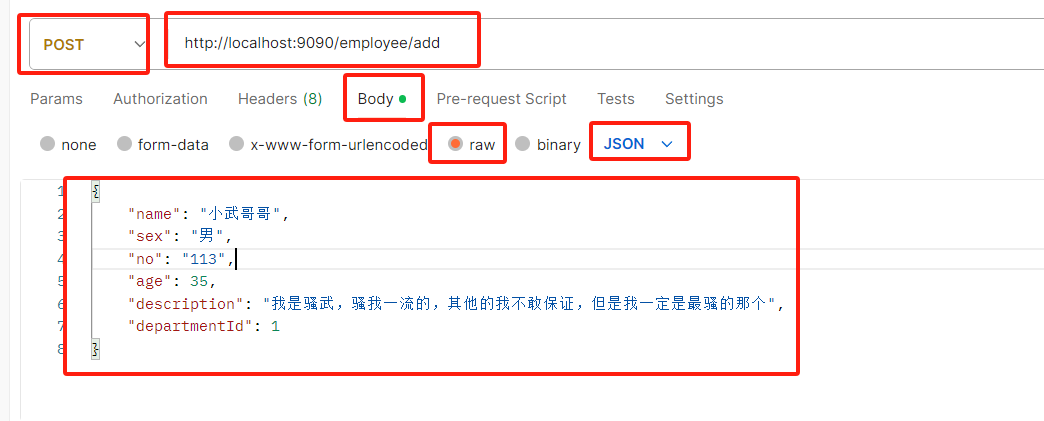
post:新增操作
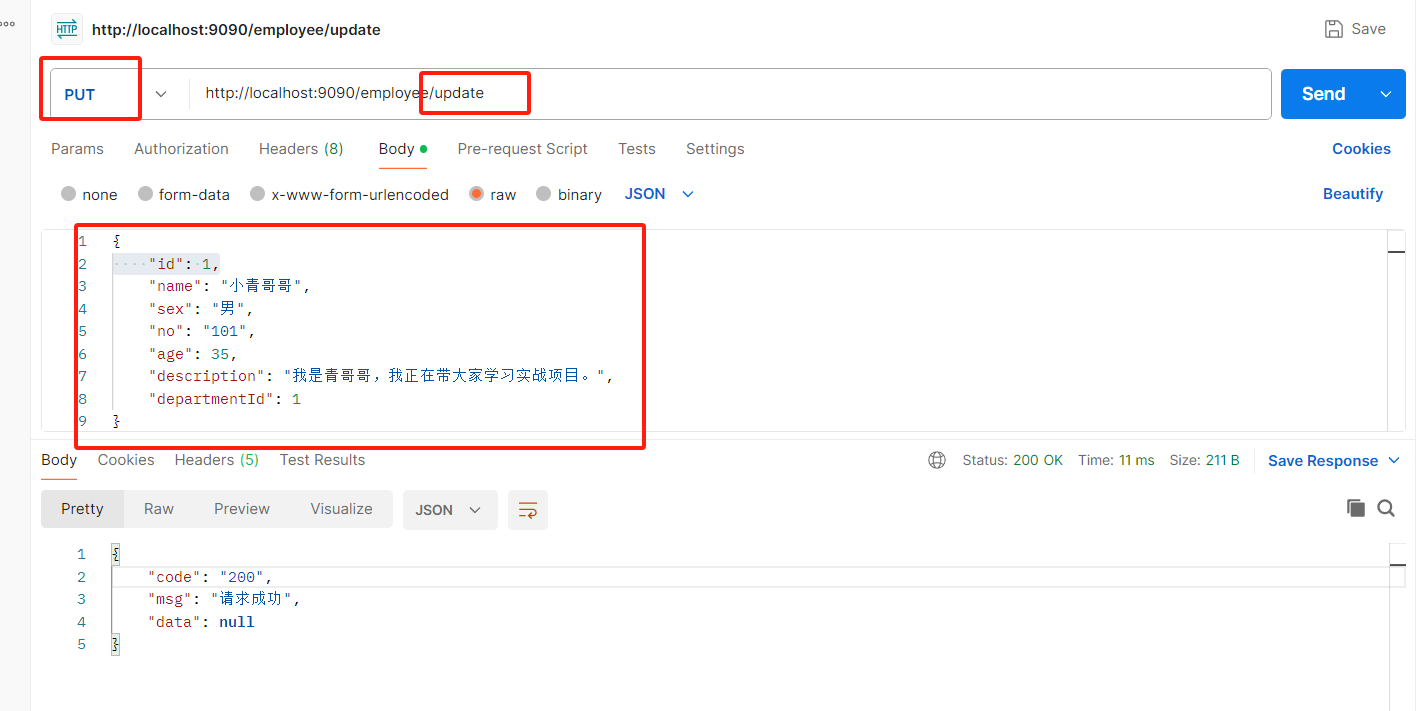
put:修改操作
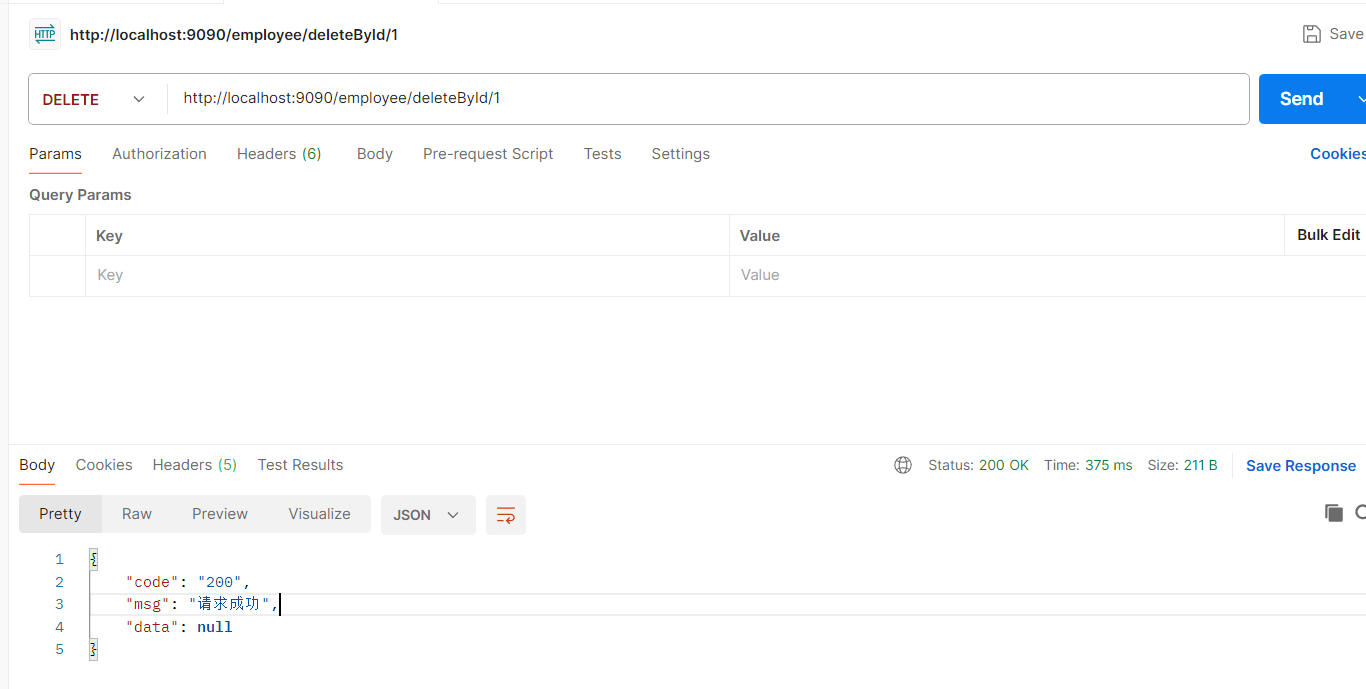
delete:删除操作
@RequestBody: 可以把前端传来的 json 字符串映射出 java 的对象、或者数组
mybatis 里面写 sql 使用下划线,涉及到绑定 java 对象值,就写驼峰

新增
<insert id="insert" parameterType="com.example.entity.Employee">
    insert into `employee` (name, sex, no, age, description, department_id)
    values (#{name}, #{sex}, #{no},  #{age}, #{description}, #{departmentId})
</insert>
更新
/**
 * 更新数据
 */
@PutMapping("/update")
public Result update(@RequestBody Employee employee) {
    employeeService.update(employee);
    return Result.success();
}
更新的 sql
<update id="updateById" parameterType="com.example.entity.Employee">
    update `employee` set name = #{name}, sex = #{sex}, no = #{no}, age = #{age},
    description = #{description}, department_id = #{departmentId}
    where id = #{id}
</update>
删除
/**
 * 删除单个数据
 */
@DeleteMapping("/deleteById/{id}")
public Result deleteById(@PathVariable Integer id) {
    employeeService.deleteById(id);
    return Result.success();
}
删除 sql
@Delete("delete from `employee` where id = #{id}")
void deleteById(Integer id);
使用 Postman 测试接口
下载 postman:https://www.postman.com/
发送 post 请求
发送 put 请求
发送 delete 请求
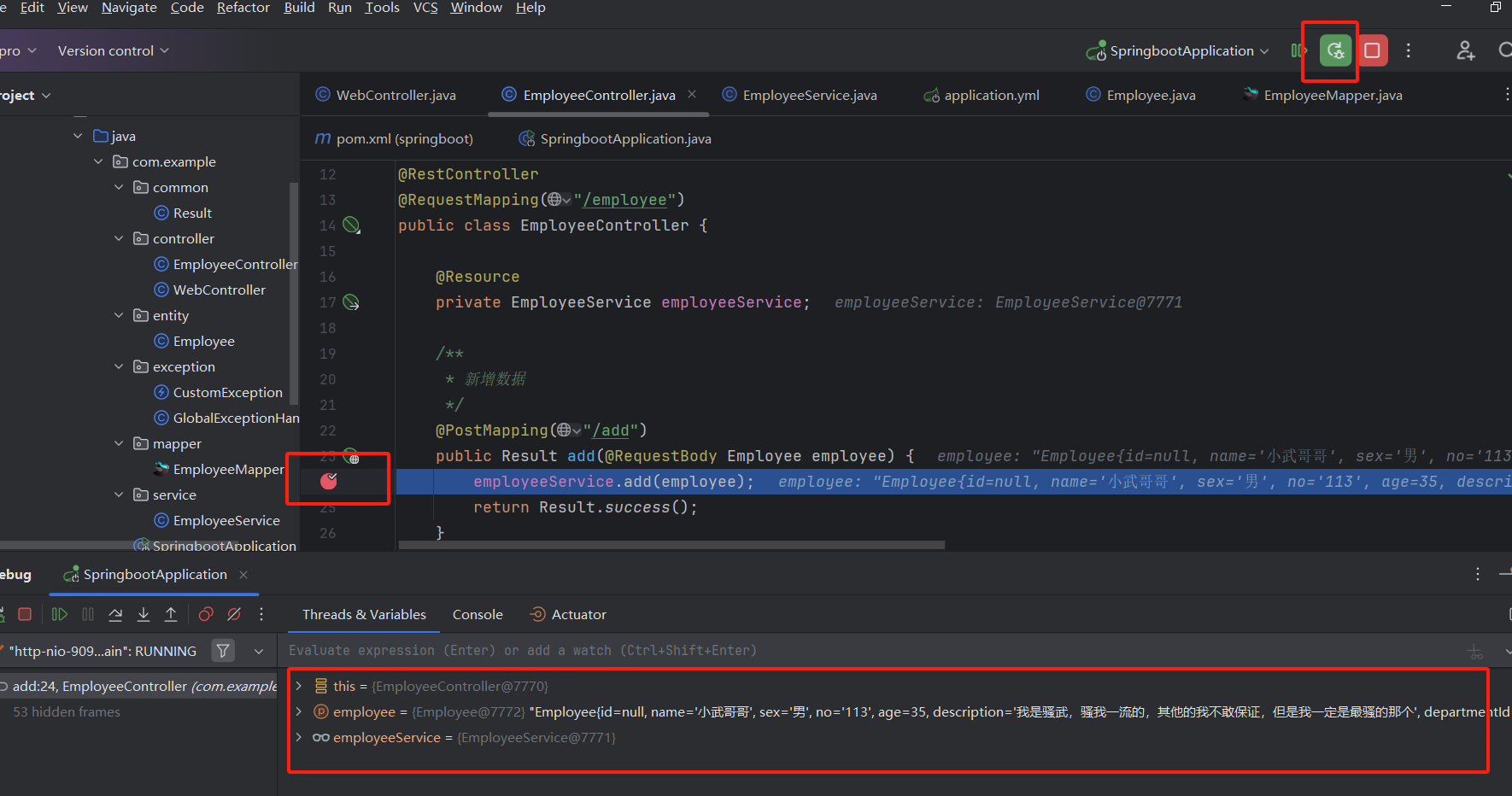
学会使用断点来帮你排查问题
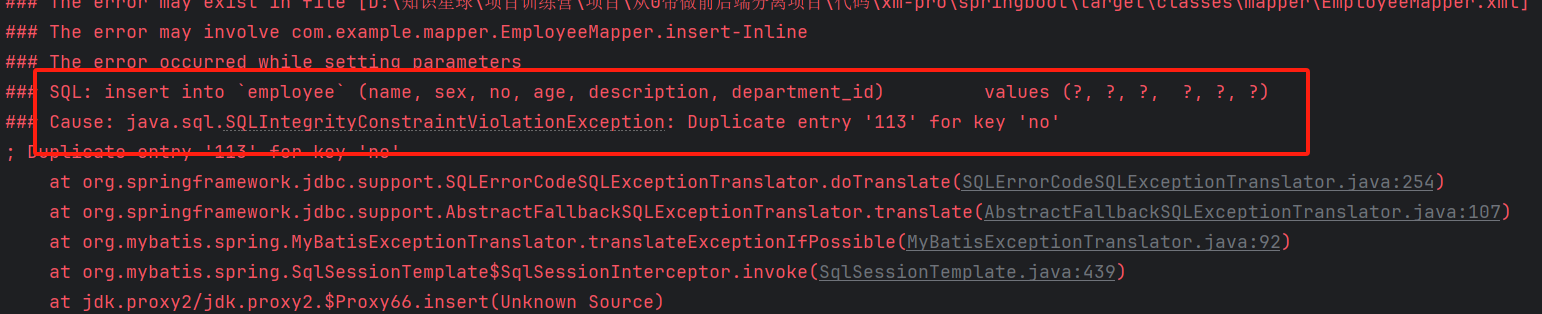
no 重复了
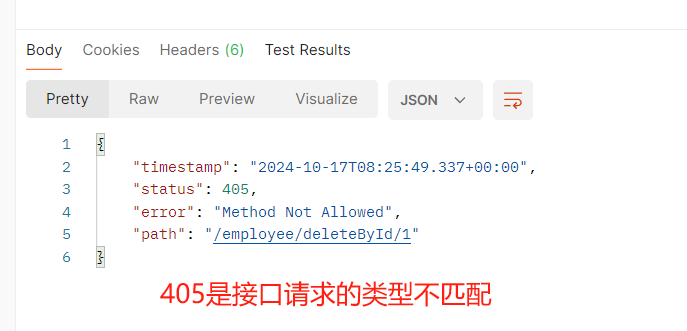
405 错误