09. 开发文件上传功能
先创建FileController,完成文件上传的接口
package com.example.controller;

import cn.hutool.core.io.FileUtil;
import com.example.common.Result;
import jakarta.servlet.ServletOutputStream;
import jakarta.servlet.http.HttpServletResponse;
import org.springframework.web.bind.annotation.*;
import org.springframework.web.multipart.MultipartFile;

import java.io.File;
import java.io.IOException;
import java.net.URLEncoder;
import java.nio.charset.StandardCharsets;

@RestController
@RequestMapping("/files")
public class FileController {

    // 表示本地磁盘文件的存储路径  D:\知识星球\项目训练营\项目\在线点餐系统\脚手架\canteen\files\
    private static final String filePath = System.getProperty("user.dir") + "/files/";

    /**
     * 文件上传
     */
    @PostMapping("/upload")
    public Result upload(MultipartFile file) throws IOException {
        if (!FileUtil.exist(filePath)) {
            FileUtil.mkdir(filePath);
        }
        // 文件的原始名称
        String originalFilename = file.getOriginalFilename();
        String realFilePath = filePath + originalFilename;
        if (FileUtil.exist(realFilePath)) {  // 同名文件已存在   123.jpg =>  123_123123123124141.jpg
            originalFilename = FileUtil.mainName(originalFilename) + "_" + System.currentTimeMillis()
                    + "." + FileUtil.extName(originalFilename);
            realFilePath = filePath + originalFilename;
        }
        File localFile = new File(realFilePath);
        file.transferTo(localFile);
        String url = "http://localhost:9090/files/download/" + originalFilename;
        return Result.success(url);
    }

    /**
     * 文件下载
     */
    @GetMapping("/download/{fileName}")
    public void download(@PathVariable String fileName, HttpServletResponse response) throws IOException {
        response.setHeader("Content-Disposition", "attachment;filename=" + URLEncoder.encode(fileName, StandardCharsets.UTF_8));
        String realFilePath = filePath + fileName;
        byte[] bytes = FileUtil.readBytes(realFilePath);
        ServletOutputStream os = response.getOutputStream();
        os.write(bytes);
        os.flush();
        os.close();
    }

}
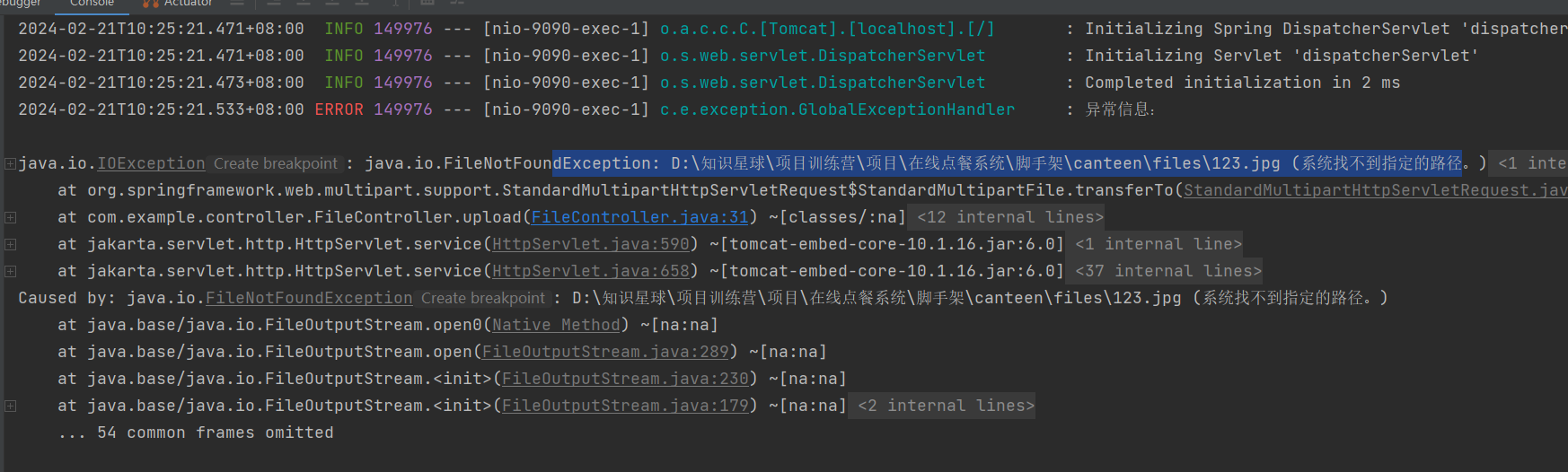
这个错误是告诉你上传的文件夹不存在,需要新建,可以通过程序去创建文件夹
完成Vue的文件上传组件,并把文件路径存储到数据库,在表格里可以显示图片
<el-upload action="http://localhost:9090/files/upload" :on-success="handleFileUpload">
  <el-button type="primary">点击上传</el-button>
</el-upload>

const handleFileUpload = (file) => {
  data.form.avatar = file.data
}
<el-table-column prop="avatar" label="头像">
  <template v-slot="scope">
    <img v-if="scope.row.avatar" :src="scope.row.avatar" alt="" style="width: 50px; height: 50px; border-radius: 50%">
  </template>
</el-table-column>