07. SpringBoot速成
环境配置
- 下载安装并配置 jdk1.8
jdk1.8.zip
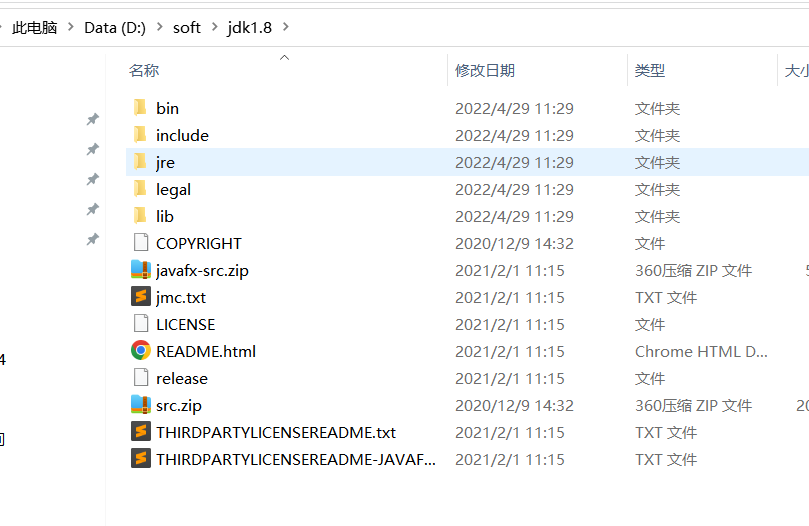
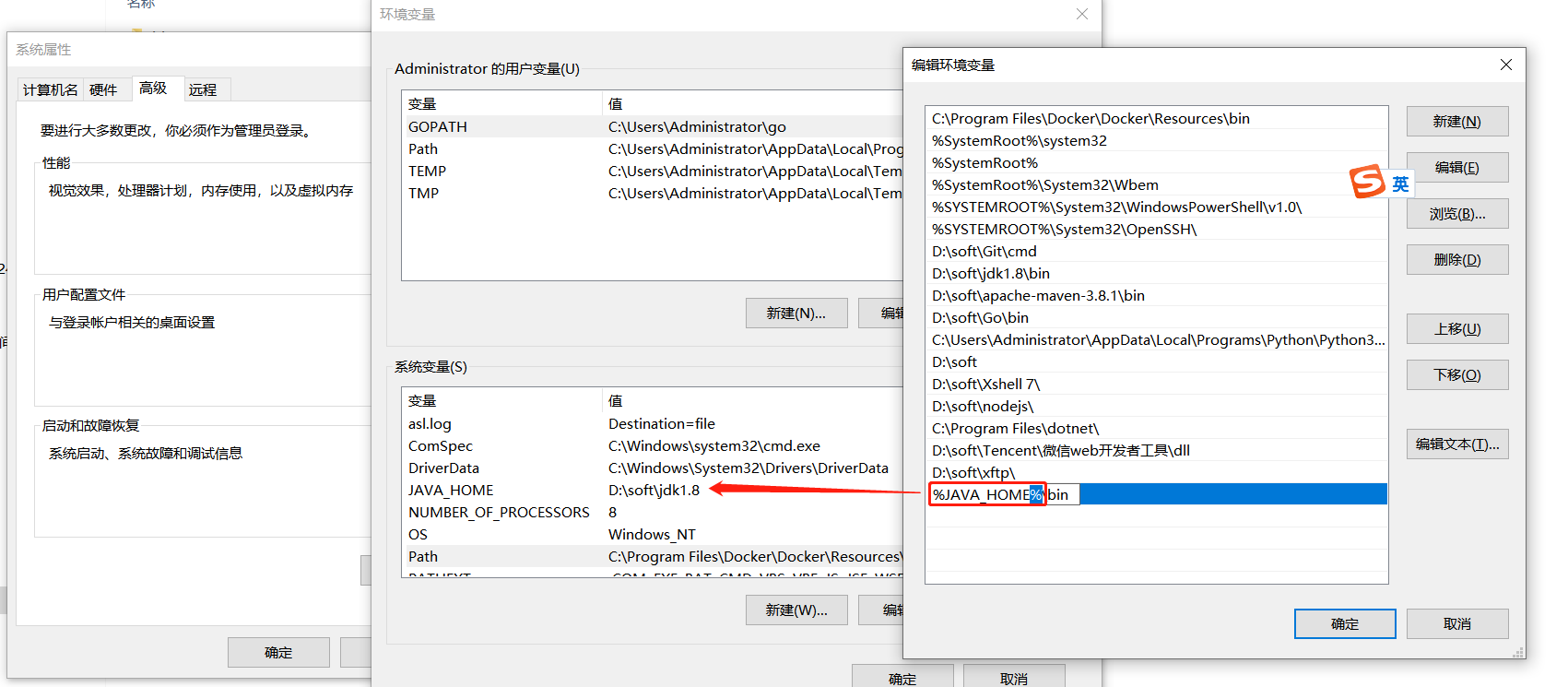
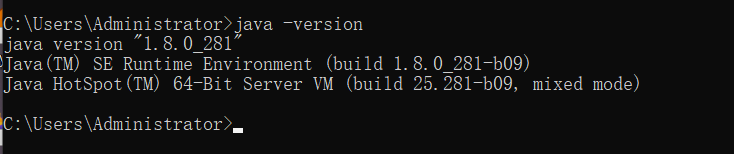
验证你本地的 jdk 是否安装完成:
java -version
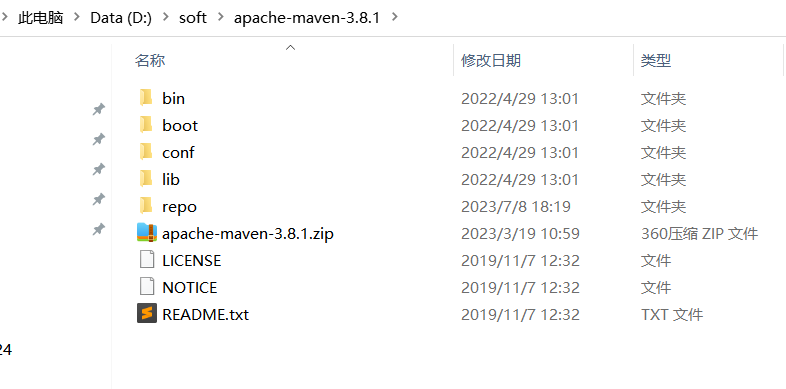
- 下载 apache maven
idea 创建项目
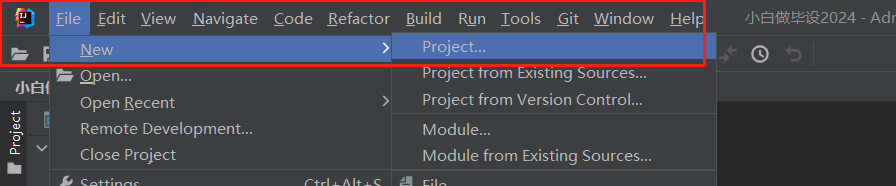
配置:
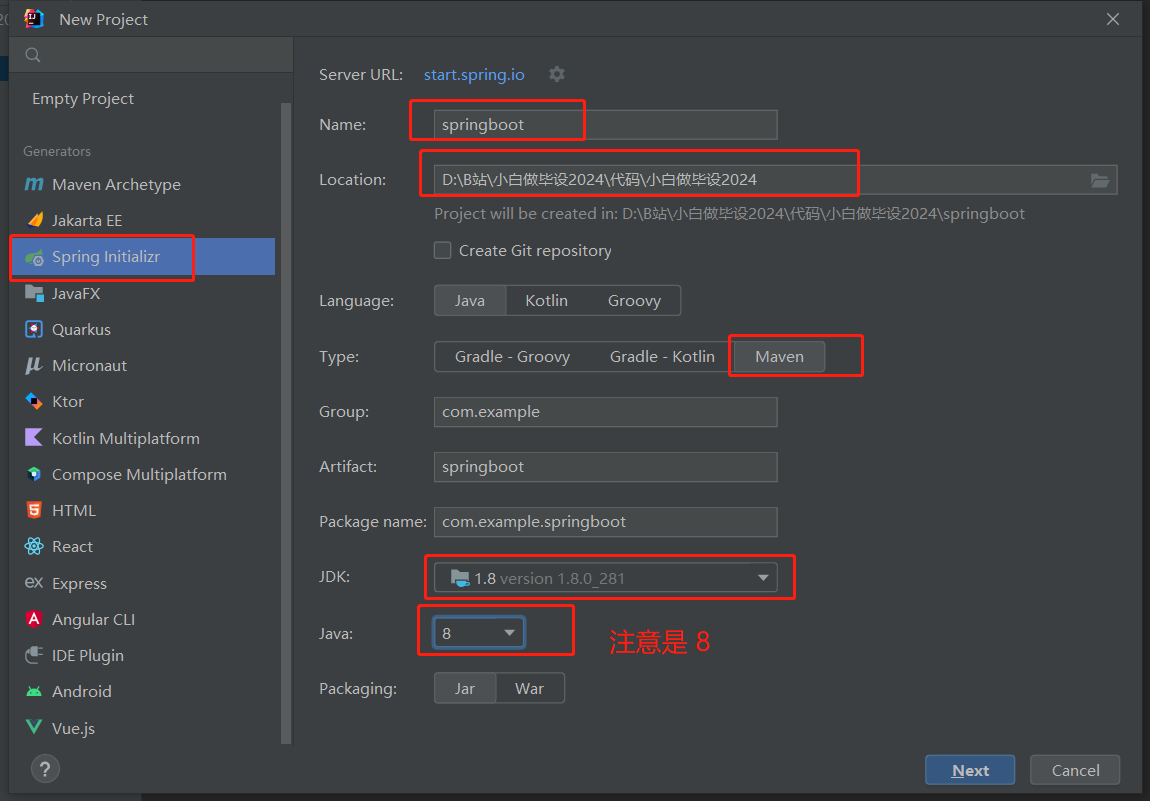
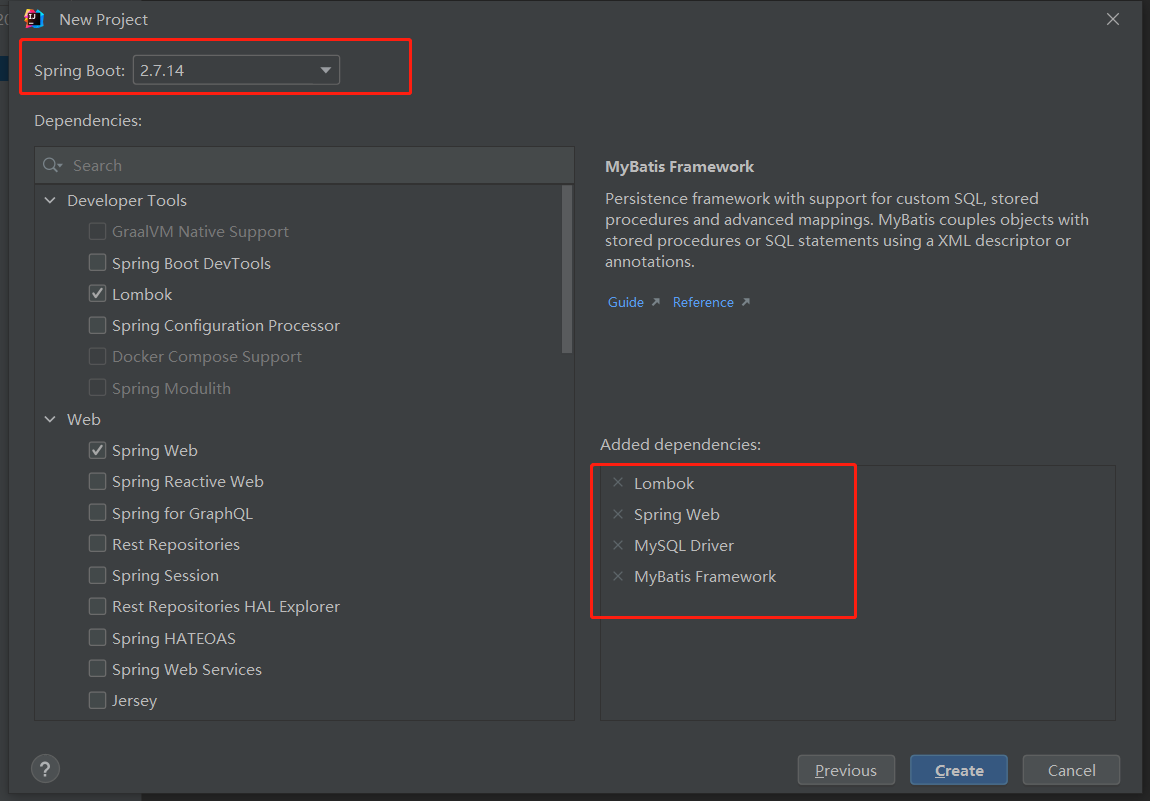
可能会比较慢,耐心等待一会会
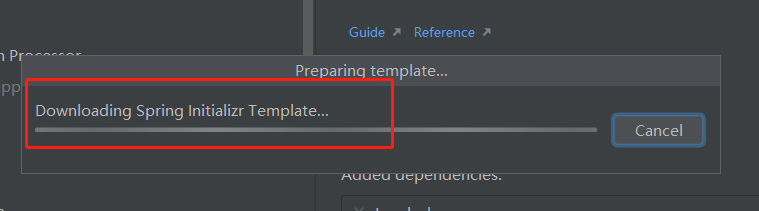
下载好项目后选择 cancel
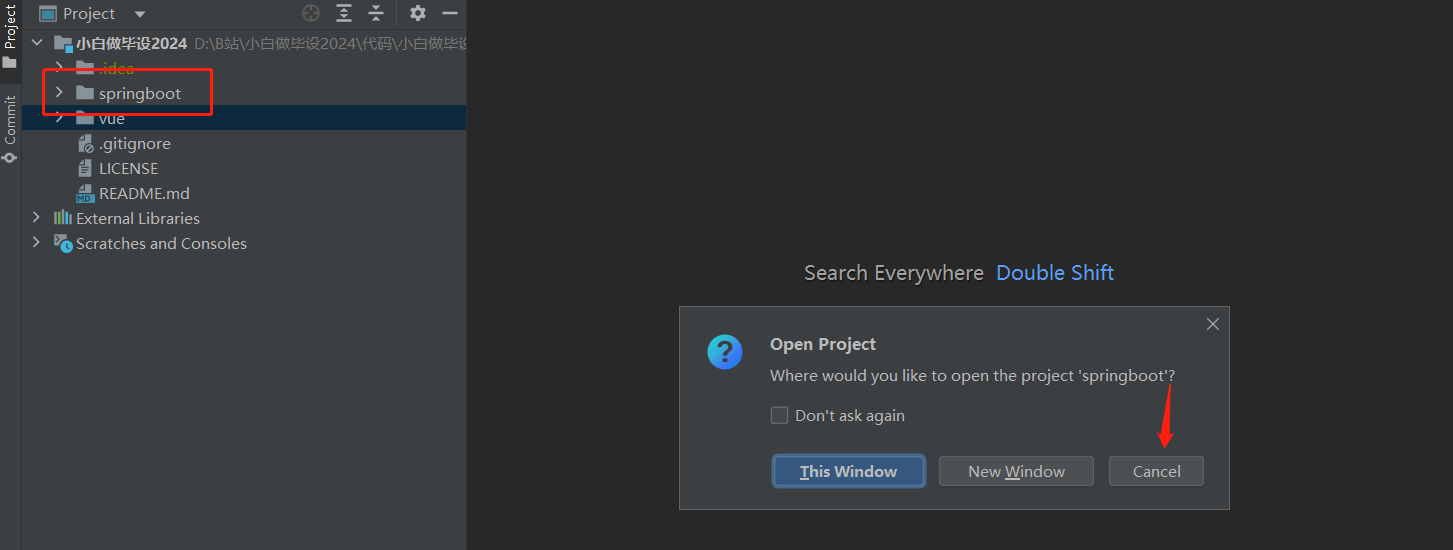
项目配置
设置 Maven
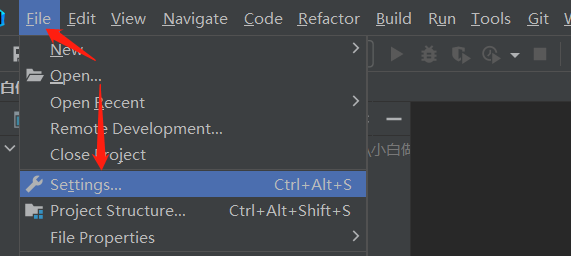
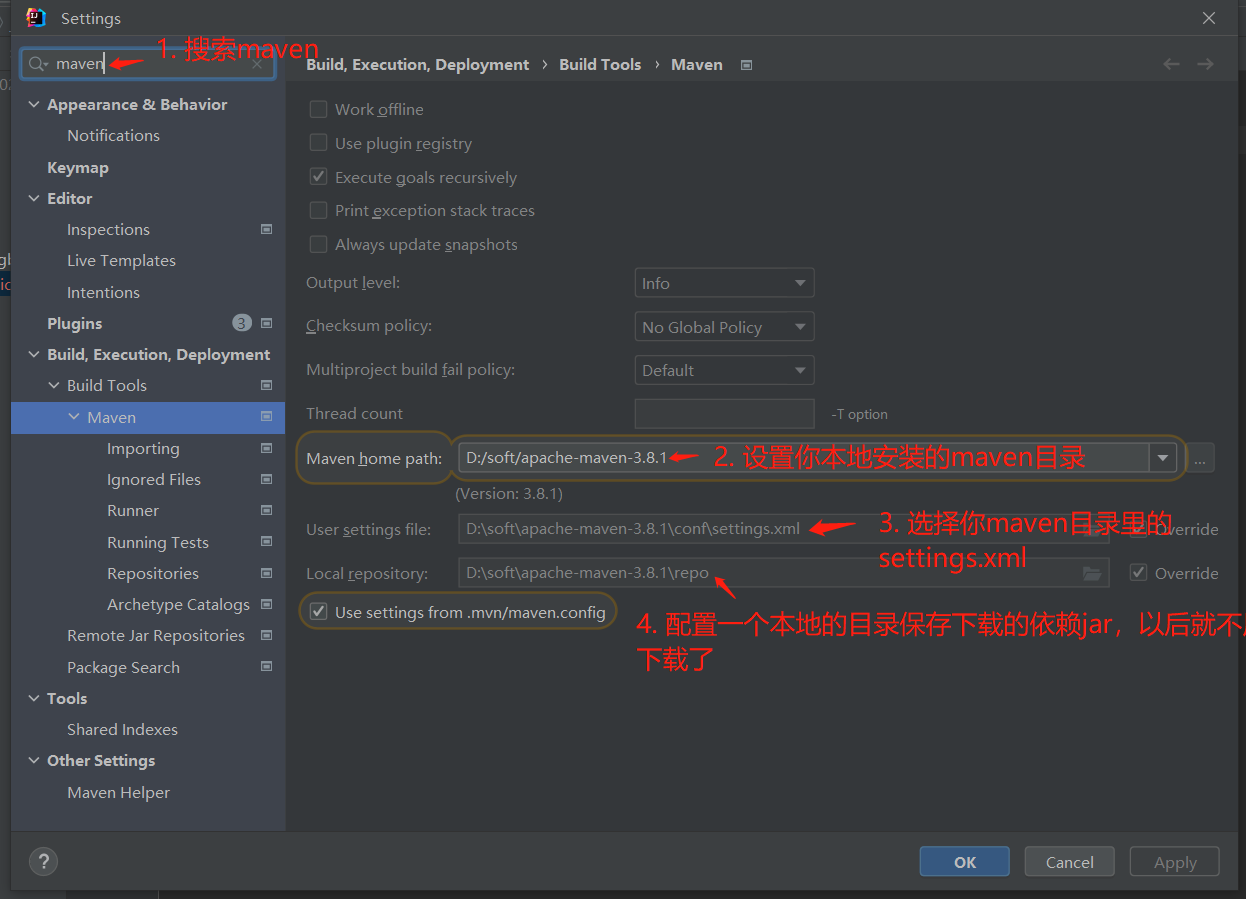
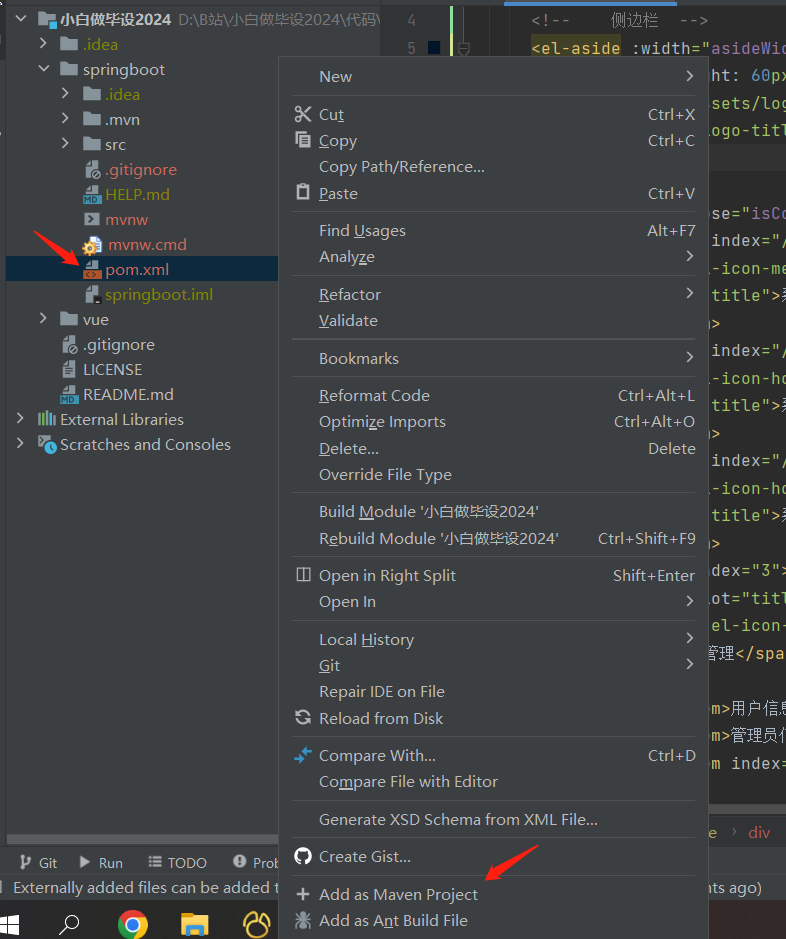
设置 springboot 文件夹为 maven 工程
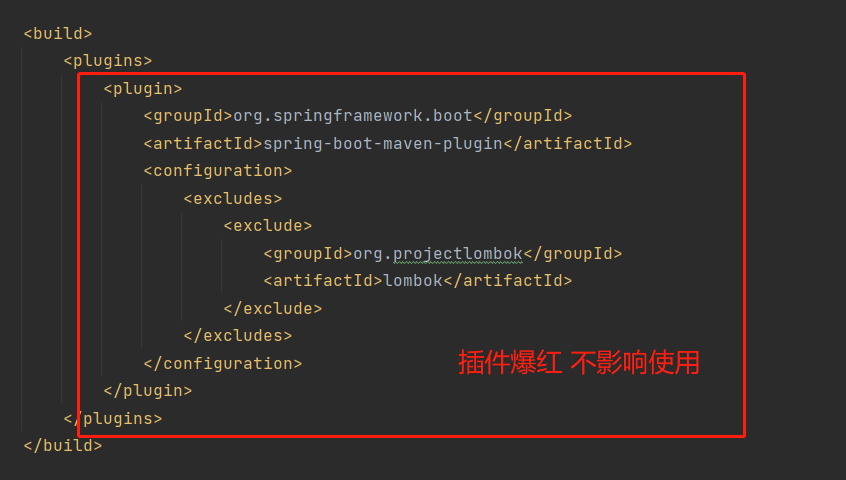
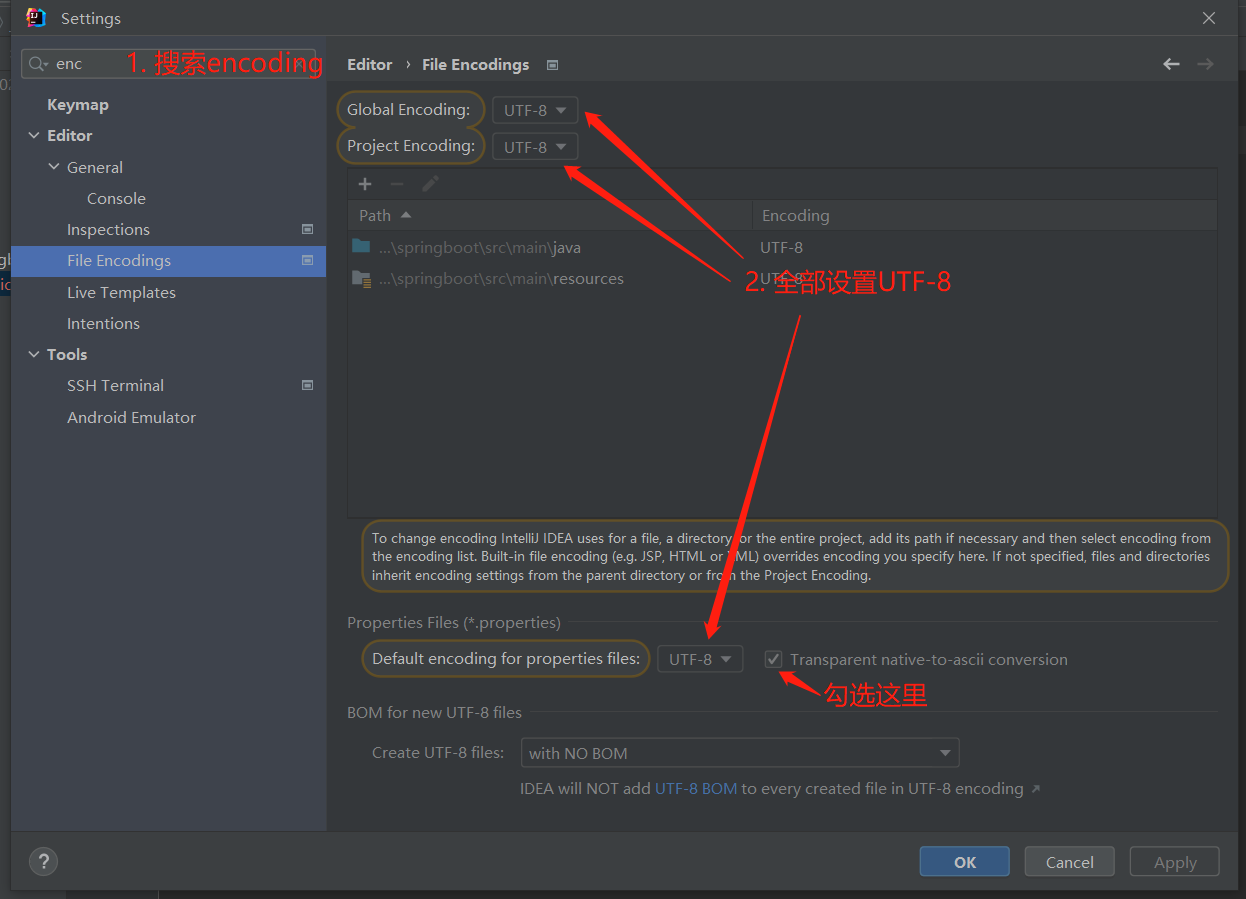
配置项目编码
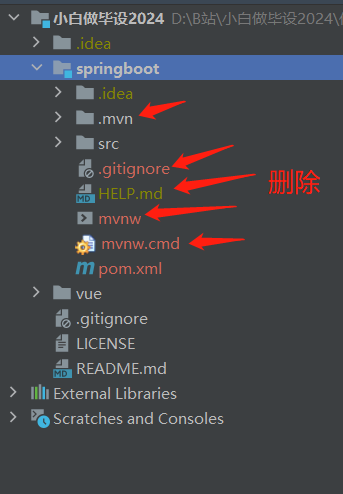
删除无用文件
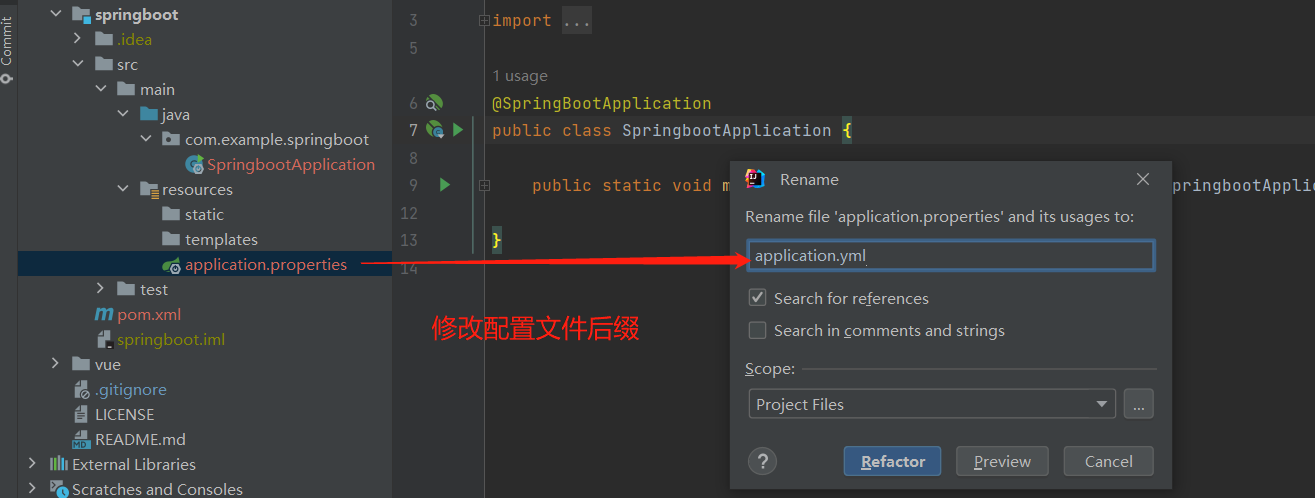
修改配置文件后缀
配置文件设置数据库
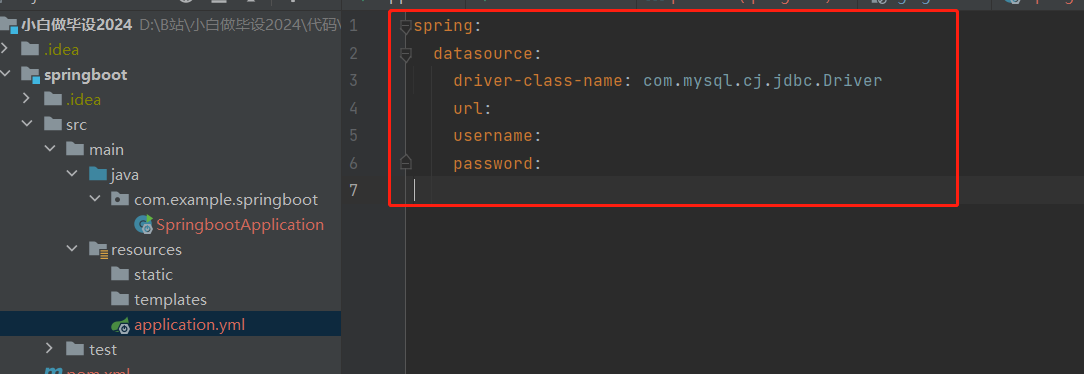
spring:
  datasource:
    driver-class-name: com.mysql.cj.jdbc.Driver
    url:
    username:
    password:
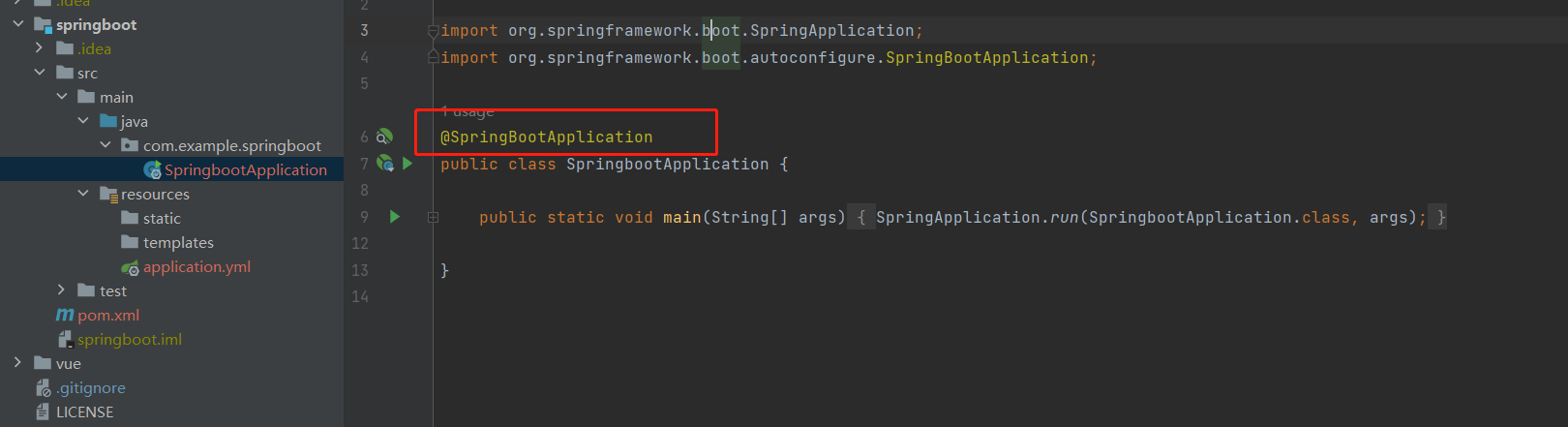
启动项目,这个注解是黄色表示项目已经加载好了
直接点这里运行即可
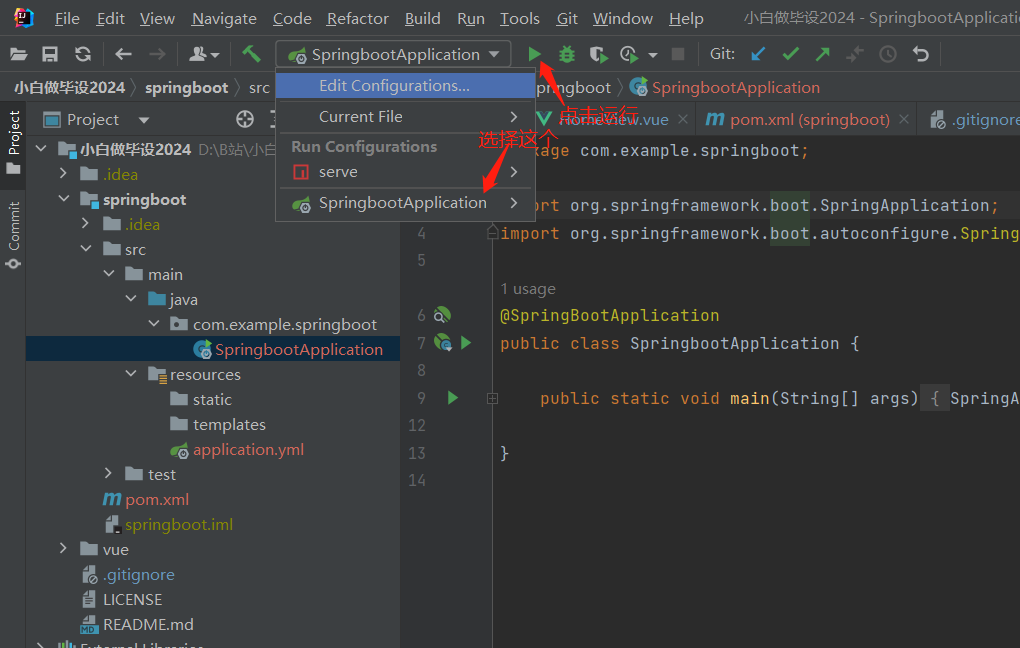

注意:开发的时候尽量使用 debug 模式运行,方便打断点调试
第一次启动就败北
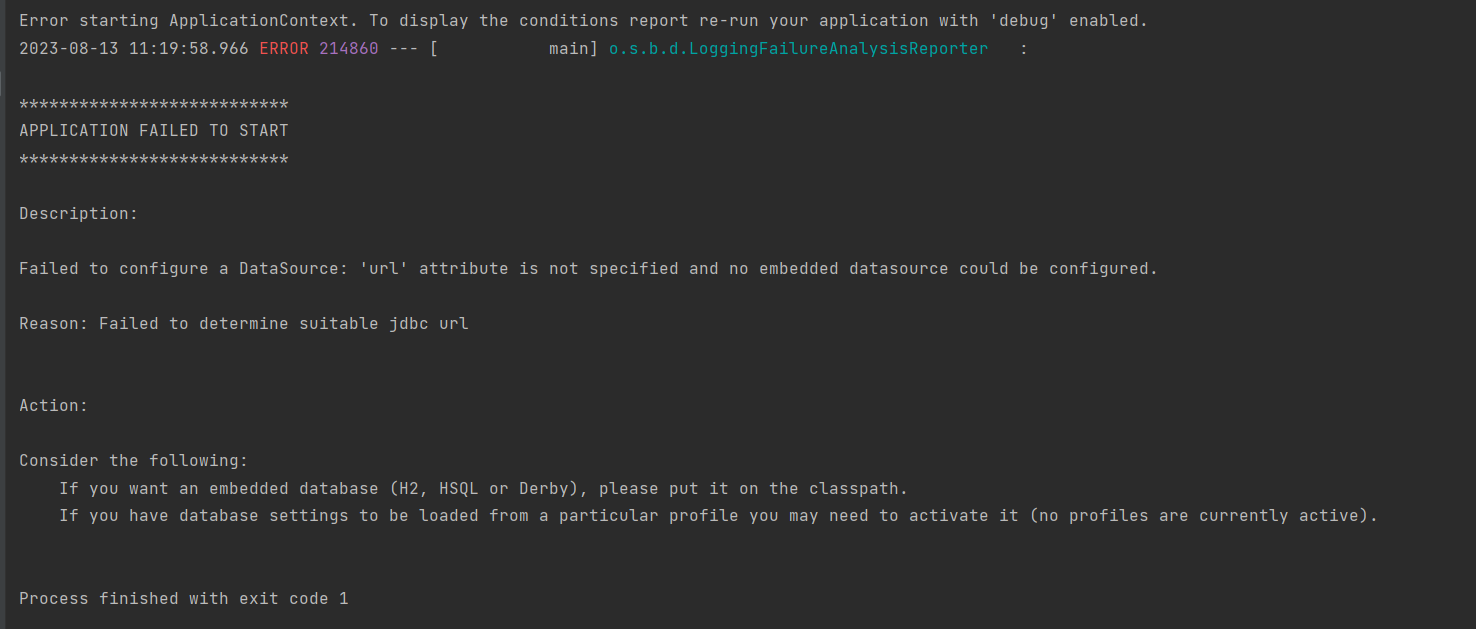
怎么解决?设置数据库连接:
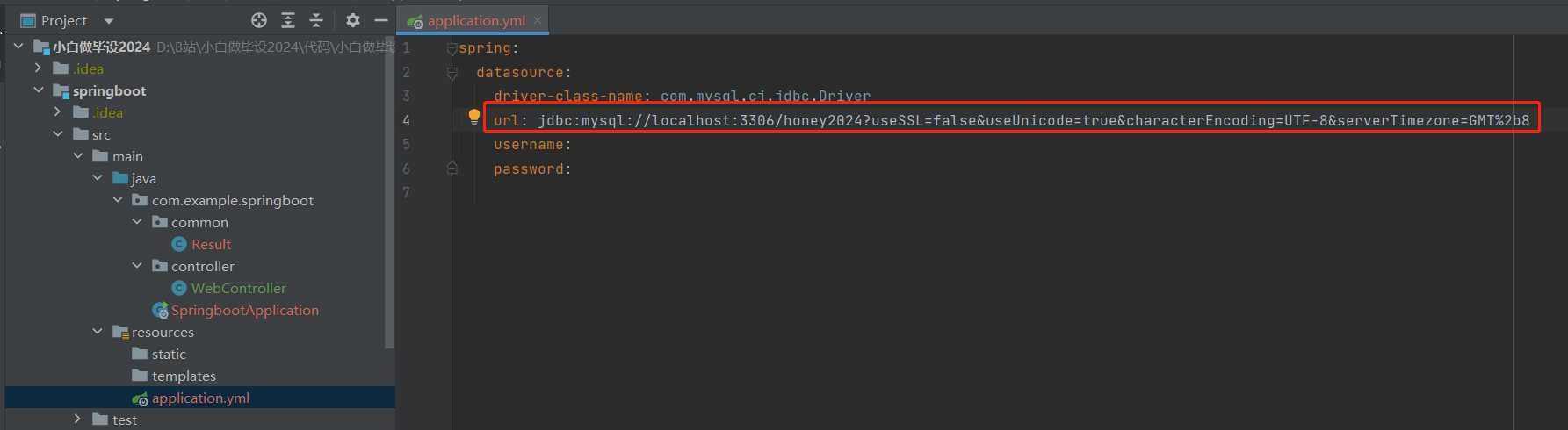
jdbc:mysql://localhost:3306/honey2024?useSSL=false&useUnicode=true&characterEncoding=UTF-8&serverTimezone=GMT%2b8
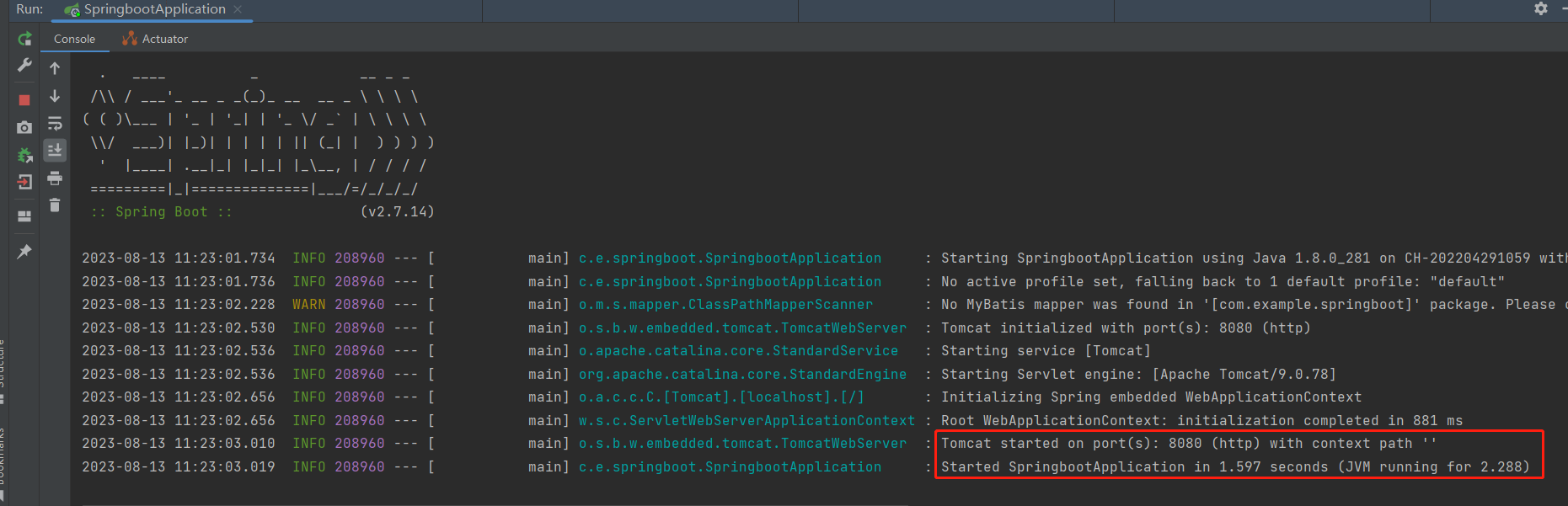
再来!启动成功:
类注释
设置注释,打开 settings
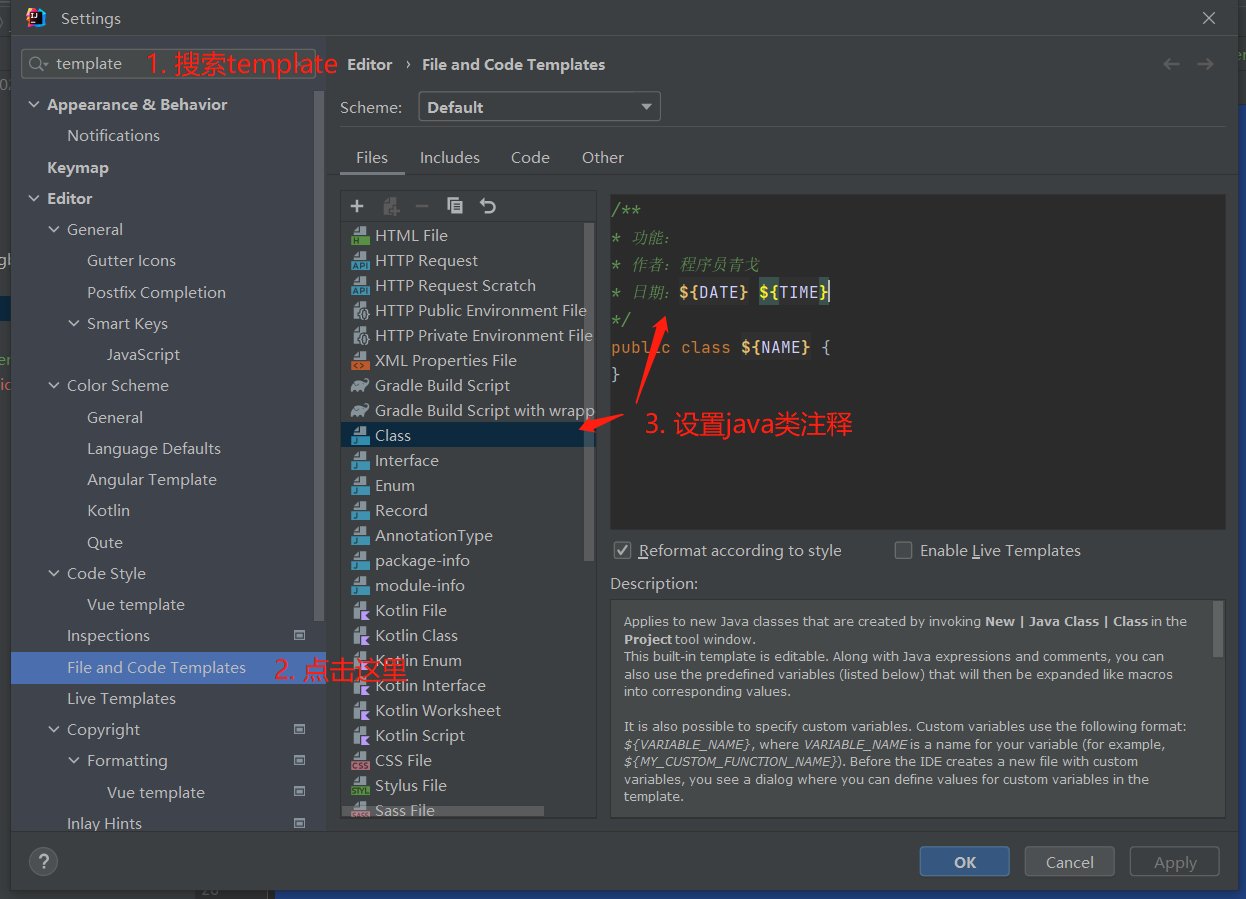
/**
* 功能:
* 作者:程序员青戈
* 日期:${DATE} ${TIME}
*/
public class ${NAME} {
}
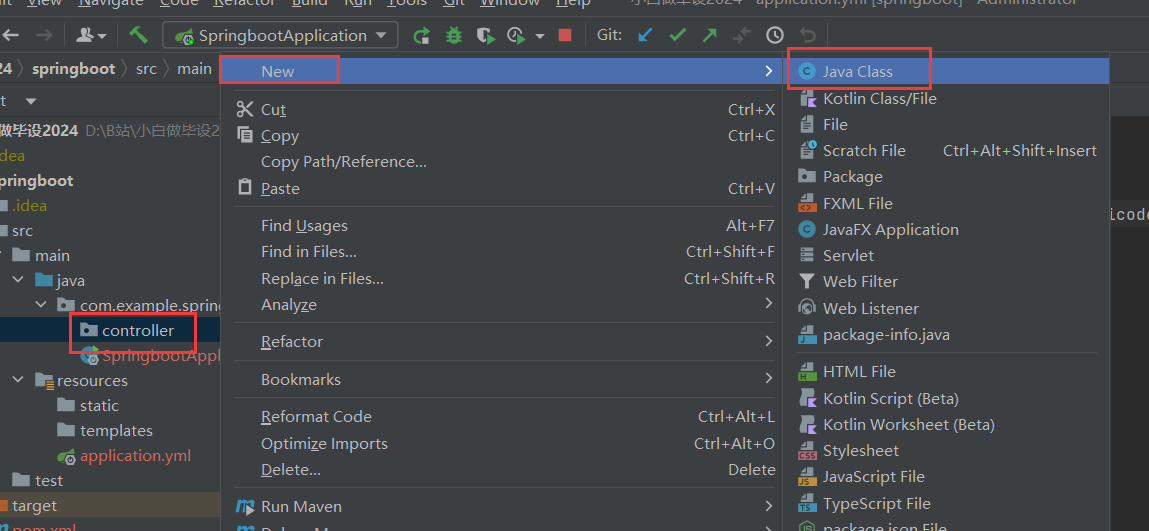
新建 WebController,测试接口
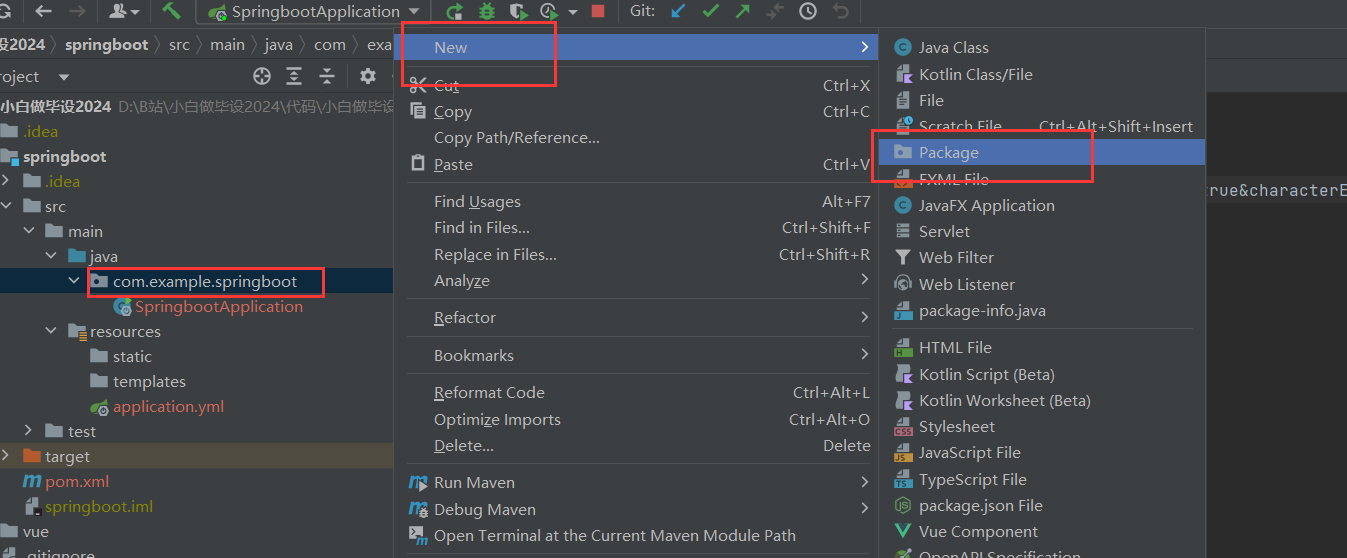
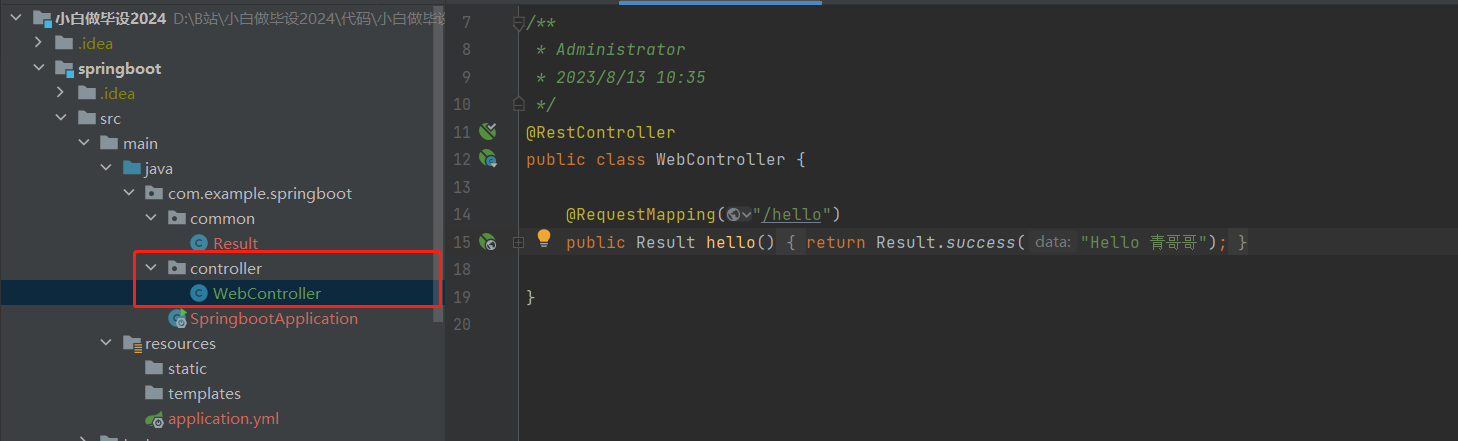
目录结构:
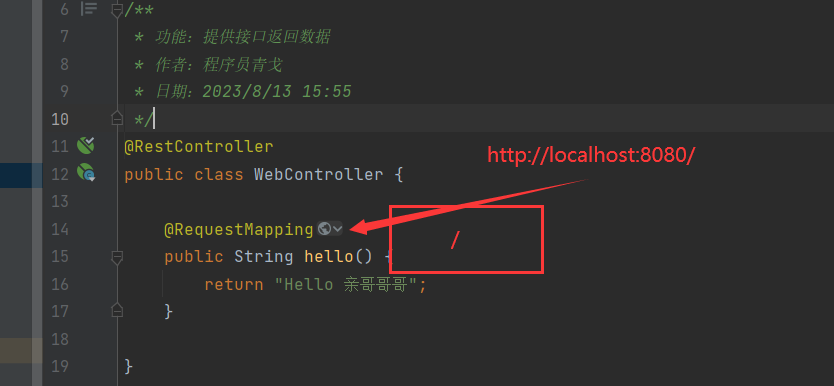
代码:
package com.example.springboot.controller;

import com.example.springboot.common.Result;
import org.springframework.web.bind.annotation.RequestMapping;
import org.springframework.web.bind.annotation.RestController;

/**
 * Administrator
 * 2023/8/13 10:35
 */
@RestController
public class WebController {

    @RequestMapping("/hello")
    public Result hello() {
        return Result.success("Hello 青哥哥");
    }

}
{
"code": "200", // 200 401 404 500 504
"msg": "成功 / 失败",
"data": {} / []
}
result
result?.code
result?.data
result[0]....
添加统一返回对象 Result
package com.example.springboot.common;

import lombok.AllArgsConstructor;
import lombok.Builder;
import lombok.Data;
import lombok.NoArgsConstructor;

/**
 * 接口统一返回包装类
 * 作者:程序员青戈
 */
@Data
@AllArgsConstructor
@NoArgsConstructor
@Builder
public class Result {

    public static final String CODE_SUCCESS = "200";
    public static final String CODE_AUTH_ERROR = "401";
    public static final String CODE_SYS_ERROR = "500";

    private String code;
    private String msg;
    private Object data;


    public static Result success() {
        return new Result(CODE_SUCCESS, "请求成功", null);
    }

    public static Result success(Object data) {
        return new Result(CODE_SUCCESS, "请求成功", data);
    }

    public static Result error(String msg) {
        return new Result(CODE_SYS_ERROR, msg, null);
    }

    public static Result error(String code, String msg) {
        return new Result(code, msg, null);
    }

    public static Result error() {
        return new Result(CODE_SYS_ERROR, "系统错误", null);
    }

}
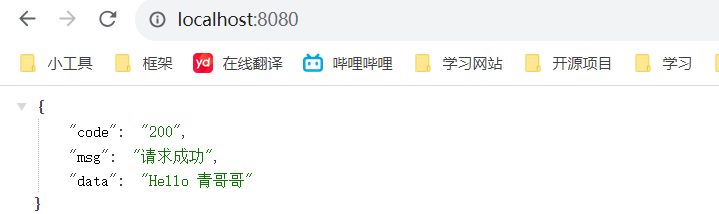
返回数据
修改后台端口为 9090
配置 application.yml
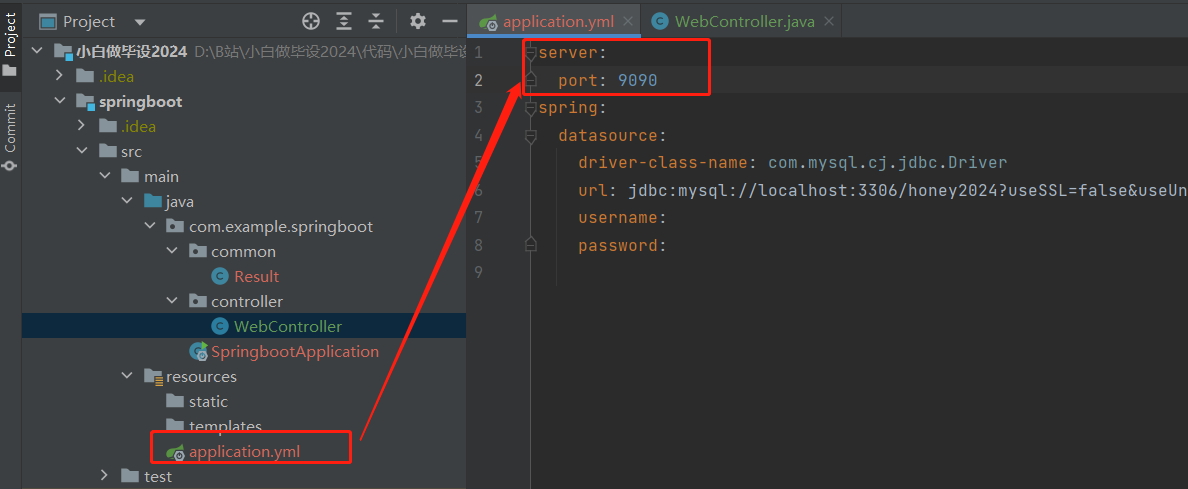
server:
  port: 9090
再次启动测试:
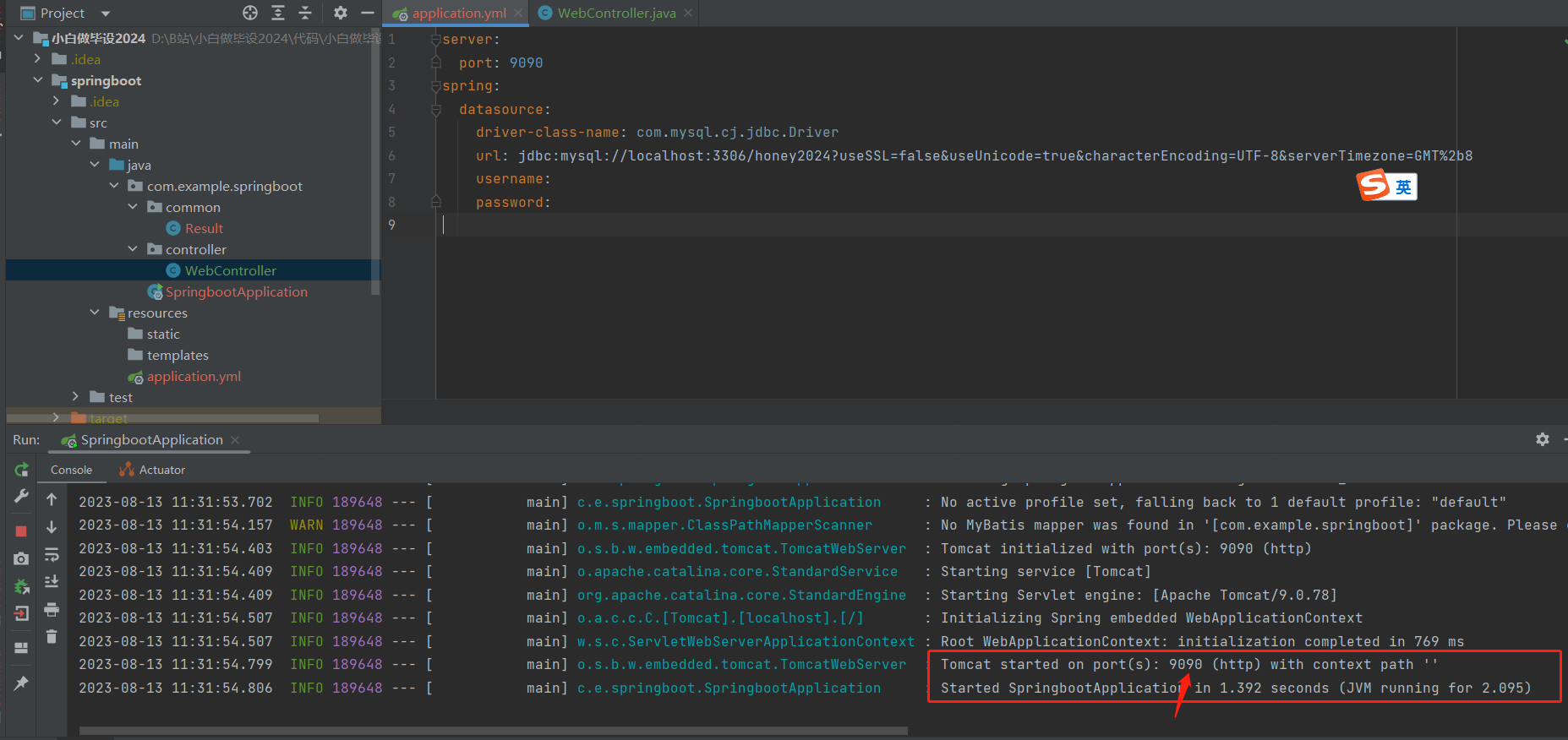
端口变成了 9090
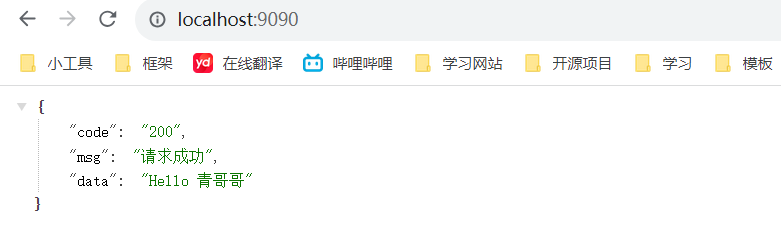
访问接口http://localhost:9090/
在我们本地开发的时候,都是使用 debug 模式去启动程序,方便调试错误
